
ABHA linked lab reports software connects a diagnostic laboratory’s digital report workflow with India’s ABDM ecosystem so health records can be linked to an individual’s ABHA and accessed or shared through supported digital-health workflows. For a pathology lab, the important part is not simply adding an “ABHA” field to the patient screen. The LIMS has to handle patient identity, report data, consent and the relevant ABDM integration workflow correctly.
That distinction matters.
A laboratory can already generate PDF reports, send them on WhatsApp and maintain patient records without having an ABHA-linked workflow. ABHA/ABDM integration addresses a different problem: making health information available within an interoperable digital-health ecosystem.
What does ABHA linked lab reports software actually mean?
Think about the workflow inside a diagnostic laboratory.
A patient registers for a CBC test. The lab collects the sample, performs the test, enters or receives the result, verifies the report and releases it.
That is the normal LIMS workflow.
With an ABHA-linked workflow, the software also needs to support the appropriate digital-health integration so that the patient’s health information can participate in the ABDM ecosystem.
The important point is that ABHA is not a replacement for your LIMS.
Your LIMS still needs to manage patient registration, test orders, sample collection, barcode or accession tracking, result entry, result verification, report generation, report approval and report delivery.
ABHA/ABDM integration sits around this existing workflow rather than replacing the laboratory’s operational system.
[INTERNAL LINK: Laboratory Information Management System for Pathology Labs]
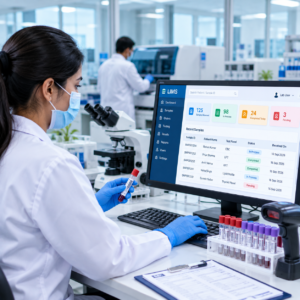
Why are pathology labs looking at ABHA integration?
A digital lab report is useful when it reaches the patient in a form they can actually access later.
A printed report can be lost. A PDF sitting inside a WhatsApp conversation is easier to lose than a properly connected health record. A patient who changes doctors or visits another healthcare facility may also need access to earlier laboratory information.
ABDM’s official material describes a Personal Health Record model in which individuals can view longitudinal health information, including lab reports, treatment details and discharge summaries across one or more health facilities. It also lists discovery, linking, viewing and consent management as key functions.
For a pathology lab, this changes the question from: “Can we send the report digitally?” to “Can our software participate correctly in the patient’s digital health-record workflow?”
How does an ABHA-linked lab report workflow work?
1. Register the patient correctly
The laboratory first needs a reliable patient record.
Name, mobile number, demographic information and the identifiers used by the lab should be captured accurately. Duplicate patient records become a bigger problem when digital health records are involved.
A typo in a patient’s identity is no longer just a spelling problem inside the reception screen. It can affect the way information is associated with the patient’s digital record.
2. Associate the patient’s ABHA information where supported
The LIMS needs to handle the relevant ABHA-related workflow rather than treating the ABHA number as an ordinary text field.
ABHA exists within the ABDM ecosystem, which includes health facilities, healthcare professionals and digital-health applications. Government ABDM material also describes the ability to link health records with a Health ID and manage consent.
The implementation should therefore be checked with the software vendor before deployment.
3. Complete the laboratory workflow normally
ABHA integration should not force the laboratory to redesign its entire operation.
The sample is still collected. The test is still performed. The result still needs verification. The report still needs approval.
The difference is what happens around the digital health-record exchange after the report becomes available.
[INTERNAL LINK: Laboratory Sample Tracking System]
4. Generate and release the report
Once the report has been verified according to the laboratory’s normal process, the relevant digital-health workflow can take place.
This is where a LIMS needs to be designed properly.
The system should know which patient the report belongs to, which investigation generated it, what report version is final and what information is being exchanged.
A good integration should not create a second manual reporting process for laboratory staff.
5. Handle consent correctly
This is one of the areas buyers should examine closely.
ABDM documentation describes consent-based processing and gives individuals control over their health information. The official ABDM privacy material states that health information is accessed or displayed with user consent and that records are provided to Health Information Users based on consent.
So don’t evaluate an “ABHA integration” only by asking whether the software displays an ABHA number.
Ask how the system handles the consent and health-information exchange workflow.
What should you check before buying ABHA linked lab reports software?
This is the part I would put in the vendor-demo checklist.
Does the software support your existing LIMS workflow?
ABHA integration is useful only if the laboratory team can continue doing its actual work efficiently.
Ask the vendor to demonstrate:
Patient registration → sample collection → result entry → verification → report release → digital-health workflow.
Don’t accept a slide saying “ABDM integrated.” Make them show the workflow.
How are duplicate patients handled?
This is an operational issue that gets ignored in many software demos.
Suppose the same patient has three records because the name was entered differently on different visits.
Your LIMS should have a sensible patient-identification and duplicate-management process.
Otherwise, the digital record experience becomes messy even if the API integration itself works.
What happens when the ABHA-related workflow fails?
Internet connectivity fails. An API request times out. A patient doesn’t complete the required consent step. A service is temporarily unavailable.
The lab still has to operate.
Your software should therefore make it clear what happens to the report when the external digital-health step cannot be completed.
A good lab workflow should not leave the technician wondering whether a report has been released simply because an external integration returned an error.
Can staff see the integration status?
If a report has been successfully processed, staff should have a clear status.
If it failed, there should be an actionable error rather than a vague “Something went wrong.”
For a busy diagnostic centre, this can prevent repeated calls to the software vendor.
What data is actually exchanged?
Ask the vendor to explain the data flow in plain language.
Which patient information is involved? Which report information is exchanged? Where does consent occur? Which system stores what? Which events are logged?
The ABDM model is designed around interoperability and consent-based exchange rather than simply creating another isolated database.
ABHA-linked reports are not the same as WhatsApp reports
These two features are easy to confuse.
WhatsApp report delivery answers: “How can we send the patient their report?”
ABHA/ABDM integration addresses: “How can the patient’s health information participate in India’s interoperable digital-health ecosystem?”
A pathology lab can have WhatsApp report delivery without having the same level of ABDM integration.
Likewise, adding a patient app does not automatically mean that the software is properly integrated with ABDM.
If you’re comparing systems, keep these capabilities separate.
[INTERNAL LINK: WhatsApp Report Delivery Software for Lab]
What about PDF lab reports?
PDF remains useful for patients and laboratory operations, but a digital-health ecosystem is not simply a PDF-delivery mechanism.
The official ABHA/ABDM material describes access to health records and lab reports through digital health-record applications. It also describes consent management and secure information exchange.
That means the lab should ask a more fundamental question:
What is the software doing with the clinical information behind the report, rather than only asking where the PDF is sent?
This distinction becomes more important as laboratories move from standalone report generation toward connected digital workflows.
What should a pathology lab ask its LIMS vendor?
Before signing a software contract, ask for a live demonstration of the complete workflow.
- How does the patient get associated with ABHA?
- What happens after a report is verified?
- How is consent handled?
- How are failed integration requests shown?
- How are duplicate patient records managed?
- What information is exchanged?
- What happens if the ABDM-related service is temporarily unavailable?
- Which parts of the workflow remain inside the LIMS?
- How are integration events logged?
- Is the current integration actually live, or is it only a planned feature?
That final question is worth asking directly.
“ABDM-ready” and “ABDM-integrated” should not be treated as interchangeable terms without seeing what the vendor actually supports.
Is ABHA integration useful for small pathology labs?
It can be, but the decision should follow the laboratory’s workflow rather than the marketing label.
A small lab should first have the basics under control: patient registration, sample tracking, result entry, report verification, billing and report delivery.
Then look at digital-health integration.
If the core LIMS is difficult for staff to use, adding another integration will not fix the underlying operational problem.
For a growing diagnostic centre, the calculation is different. If the laboratory is already moving toward digital records, multiple collection points, patient apps, online reports or broader healthcare-system integration, ABDM/ABHA support becomes a more relevant software-selection criterion.
[INTERNAL LINK: Best LIMS Software for Small Pathology Lab]
What ABHA integration does not mean
It does not mean every report automatically appears everywhere.
ABDM’s architecture places emphasis on consent and controlled exchange of health information.
It does not mean your LIMS becomes the patient’s complete health record.
The laboratory remains one source of health information.
It does not mean every software displaying an ABHA field is ABDM-integrated.
A real integration requires more than storing an identifier.
And it does not remove the need for a proper laboratory information management system.
Sample management, results, verification and reporting remain laboratory responsibilities.
How PathXprt should approach ABHA-linked lab reports
For a LIMS buyer, I would evaluate ABHA support as part of the complete laboratory workflow—not as an isolated checkbox.
Start with the patient’s journey.
Registration.
Sample collection.
Tracking.
Testing.
Result entry.
Verification.
Report.
Then ask how the relevant ABDM/ABHA workflow fits into that journey without forcing staff to maintain duplicate records or perform unnecessary manual steps.
That is the practical standard to use when comparing pathology lab software.
If you are evaluating a LIMS for your diagnostic laboratory, start by mapping your current report workflow and then ask the vendor to demonstrate where ABHA/ABDM integration fits into it.
Don’t buy the label “ABHA integrated.” Buy a workflow you can actually see working.