
If you are looking for the best LIMS software in Samburu, do not start with a list of 20 features. Start with one laboratory workflow and make every vendor prove that the workflow works. For a laboratory serving Samburu West, the strongest LIMS shortlist should cover patient registration, test ordering, sample collection, accessioning, result processing, verification, reporting and billing. PathXprt is one product worth evaluating because its published platform covers these core areas along with barcode management, analyzer interfacing, reporting and multi-location support.
First, what does “West Samburu” mean?
There is a small terminology issue worth clearing up.
Samburu County is divided into three main administrative areas: Samburu West, Samburu North and Samburu East. Official county documentation lists Samburu West with wards including Maralal, Suguta Marmar, Lodokejek, Loosuk and Porro.
So if your search is for “best LIMS software in West Samburu,” this guide treats that as Samburu West within Samburu County, while using the broader keyword “best LIMS software in Samburu” for search relevance.
What should a LIMS actually solve for a Samburu laboratory?
A LIMS should connect the patient’s request to the final laboratory report.
That means a staff member should be able to see what was ordered, which sample was collected, where that sample is in the process, what result was entered, who verified it and whether the report has been released.
Kenyan laboratory information-system requirements provide a useful reference point. Published KRA LIMS requirements include areas such as sample identification, barcode labelling, distribution, tracking, chain of custody, audit trails, work assignment, quality control, result review and approval, reporting, inventory and billing.
Why generic “best LIMS” rankings are not enough
Search for the best LIMS software and you will find plenty of rankings.
Some current comparison pages rank products such as STARLIMS, LabWare, Thermo Scientific SampleManager and other international platforms. Their comparisons focus on features, workflow, integrations, deployment and compliance capabilities.
Those comparisons are useful if you are building a shortlist.
They are much less useful if you are sitting in a laboratory and need to answer a simple question:
Will this software handle our actual work without creating another manual process?
The five-minute workflow test every vendor should pass
Don’t ask a vendor to show you their prettiest dashboard.
Give them one ordinary laboratory case.
Register a patient. Add the requested tests. Collect the specimen. Generate its identifier. Move the sample into the appropriate workflow. Enter or import the result. Send it for verification. Release the report. Then check what happened to billing.
Now change the conditions.
Reject the sample.
Correct a result.
Add an outsourced test.
Ask for the patient’s previous report.
Check who changed the result and when.
This exposes far more than a feature presentation.
[INTERNAL LINK: clinical laboratory LIMS]
Why PathXprt is worth evaluating
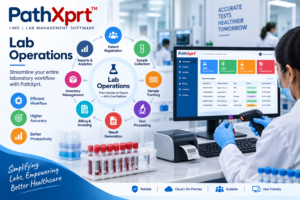
PathXprt publishes a workflow that covers patient and order management, sample collection, accessioning, barcode printing and scanning, sample segmentation and outsourcing, quality checks, archiving, reporting, approvals, dispatch, finance and multi-location support.
Its website also describes laboratory equipment interfacing, custom reporting, digital report generation, bulk reporting, speech-to-text entry and an error-checking engine.
For a diagnostic laboratory, that combination makes PathXprt a reasonable product to put through a technical demonstration.
That does not mean it should automatically win.
The vendor still needs to demonstrate the functions using the laboratory’s real workflow and, where relevant, the actual instruments used by the laboratory.
Sample tracking is where the software earns its place
A LIMS is not doing much for you if staff still have to ask, “Where is this sample?”
Barcode support should connect the specimen with the patient and requested investigations. Staff should be able to identify the current status and follow the sample through the relevant stages.
PathXprt publishes barcode printing and tagging, sample tracking, accessioning, sample segmentation, outsourcing, quality checks and archiving.
Ask the vendor to demonstrate a complete sample journey rather than showing each feature separately.
The question is not whether the button exists.
The question is whether the whole chain works.
What happens when a sample is rejected?
This is an excellent demonstration scenario because real laboratory workflows are not always clean.
Ask the vendor to create a sample that fails the laboratory’s acceptance criteria.
Then ask:
- Who records the rejection?
- What status does the original order receive?
- Can staff see why it was rejected?
- How is recollection handled?
- Can the original request still be traced?
- Can the laboratory distinguish an original sample from a replacement?
A LIMS that handles the normal workflow but becomes confusing when something goes wrong deserves another round of testing before purchase.
Analyzer integration needs a real instrument
“Analyzer integration” sounds impressive on a product page.
It means very little until you test the analyzer your laboratory actually uses.
Give the vendor the manufacturer and model of the instruments that matter to your workflow. Ask how results are transferred, how the system matches them with the correct patient and sample, and how staff handle exceptions.
PathXprt publishes laboratory equipment interfacing for automated results.
Other Kenya-focused products make similar claims. E-Afya publishes analyzer-result integration, while Sanitas Diagnostics describes integration with laboratory instruments and result workflows.
Do not treat the phrase “analyzer integration” as proof that your particular instrument is supported.
Make the vendor demonstrate it.
Reporting should be tested with your laboratory’s format
A sample report from a sales presentation tells you almost nothing.
Use one of your actual report formats during the demonstration.
Ask the vendor to reproduce the important fields, add the required result information and then make a correction before final approval.
PathXprt publishes custom report templates, digital report generation, bulk reporting and an error-checking engine.
Those are useful capabilities to evaluate, but they remain vendor-published claims until you test them against your own reporting requirements.
[INTERNAL LINK: pathology lab report management software]
Connectivity deserves its own test
This is particularly important for any laboratory evaluating cloud software.
Do not accept “cloud-based” as an answer to every connectivity question.
Ask what happens when the connection becomes slow.
Ask what happens if the connection temporarily fails.
Ask which functions continue working.
Ask how records are synchronised after the connection returns.
Then ask the vendor to demonstrate the scenario if the product supports it.
A laboratory should know exactly what happens to an order, sample or result when connectivity is interrupted.
That is much more useful than simply knowing where the server is hosted.
Billing should follow the laboratory workflow
If the same test order has to be entered into two unrelated systems, the laboratory has created another opportunity for errors.
PathXprt publishes billing and finance functionality alongside its laboratory workflow. Its website describes payment recording, invoices, rate lists, discounts, dues collection and financial analytics.
During a demo, test something ordinary:
Create an order. Apply the correct rate. Add a discount if your workflow requires one. Record payment. Check the outstanding balance. Then amend the order.
The point is to see whether the financial record follows the laboratory transaction.
[INTERNAL LINK: pathology lab billing software]
Which alternatives should a Samburu buyer compare?
PathXprt should not be the only product on the shortlist.
E-Afya LIMS is a Kenya-focused option that publishes barcode sample tracking, analyzer results, verified reports, audit trails, worklists and billing-related workflows. Its website also positions the product for hospital laboratories and diagnostic centres across Kenya and Africa.
Matokeolab describes a browser-based, PWA-enabled LIMS with offline fallback, billing, inventory, result revision tracking and M-Pesa integration. These are vendor-published capabilities and should be confirmed during a product demonstration.
Sanitas Diagnostics describes a web-based laboratory information system for medical diagnostic laboratories, with sample workflow management, result verification, reporting, quality functions and laboratory instrument integration.
International LIMS platforms such as STARLIMS, LabWare and Thermo Scientific SampleManager can also belong on a larger enterprise shortlist. Current comparison pages rank these products for broader laboratory requirements.
But bigger is not automatically better.
A laboratory in Samburu West should compare implementation, support, integrations, usability and the actual workflow—not simply the number of modules listed on a product page.
Who is PathXprt a good fit for?
PathXprt deserves serious consideration if your laboratory wants one system covering patient and order management, sample workflows, reporting, approvals, billing and related laboratory operations.
Its multi-location functionality is also relevant for organisations operating more than one collection or laboratory location.
[INTERNAL LINK: multi-location LIMS for diagnostic laboratories]
Who should look elsewhere?
A laboratory with highly specialised research workflows, unusual instrument requirements or regulatory requirements that the vendor cannot demonstrate should continue comparing specialist or enterprise LIMS platforms.
The same rule applies to any software vendor.
If a requirement matters to your laboratory, put it into the demo and make the vendor prove it.
Five questions to ask before buying
- Can you demonstrate our complete patient-to-report workflow?
- Can you integrate with the exact analyzer models we use?
- What happens when a sample is rejected or recollected?
- Can you show the audit history after a result is corrected?
- What exactly is included in implementation, migration, training, support, upgrades and integrations?
Keep the answers in the same comparison document.
That makes the final decision much easier.
So, what is the best LIMS software in Samburu?
There is no independent ranking that proves one LIMS is objectively the best for every laboratory in Samburu.
For a laboratory in Samburu West, I would put PathXprt on the shortlist because its published feature set covers the core workflow areas a diagnostic laboratory needs to evaluate: patient and order management, sample collection, accessioning, barcode workflows, reporting, approvals, finance and laboratory equipment interfacing.
But don’t buy it because this article says so.
Give PathXprt and at least one competing system the same patient workflow.
Use a real sample scenario. Test a rejected specimen. Test a corrected result. Test the report. Test billing. Test the analyzer integration that matters to you.
Choose the system that handles your real laboratory work with the fewest manual workarounds.
If you want to evaluate PathXprt for your laboratory, the next practical step is to request a demonstration based on your actual workflow rather than a generic product tour.
Sources: PathXprt; KRA LIMS technical requirements; E-Afya LIMS; AfyaWingu; Sanitas Diagnostics; Matokeolab.