
Table of Contents
- What Is a Laboratory Management System?
- Why Diagnostic Centers Need Laboratory Software
- 7 Key Benefits
- Essential Features
- Sample Management
- Laboratory Reporting
- Quality and Data Management
- How to Choose the Right System
- Frequently Asked Questions
- Conclusion
What Is a Laboratory Management System?
A laboratory management system for diagnostic centers is a digital software solution designed to manage different activities involved in diagnostic laboratory operations.
Diagnostic centers handle a large amount of information every day. Patient registration, test booking, sample collection, barcode generation, sample processing, result entry, report verification, billing, and report delivery are all important parts of the laboratory workflow.
Managing these activities manually can become difficult as the number of patients and tests increases. A centralized laboratory management platform can connect these processes and give staff better visibility into daily operations.
A well-organized system can also help laboratory staff reduce repetitive administrative work and maintain information in a structured digital environment.
Why Diagnostic Centers Need Laboratory Management Software
Modern diagnostic centers need to manage speed, accuracy, patient information, and laboratory processes at the same time. A digital system can bring multiple laboratory activities together instead of managing them through disconnected records.
A typical diagnostic workflow includes:
- Patient Registration
- Test Booking
- Sample Collection
- Barcode Generation
- Sample Processing
- Result Entry
- Result Verification
- Report Generation
- Report Delivery
When these activities are managed through paper-based processes or separate systems, tracking information can become difficult. A centralized laboratory management system can create a more organized workflow.
For additional laboratory quality information, visit the World Health Organization laboratory quality resources.
7 Key Benefits of a Laboratory Management System for Diagnostic Centers
1. Faster Patient Registration
Patient registration is one of the first steps in a diagnostic workflow. Digital registration allows authorized staff to store patient information in a structured database.
When an existing patient returns, staff can retrieve available information instead of repeatedly entering the same details. This can reduce administrative work and make the reception process smoother.
2. Efficient Sample Tracking
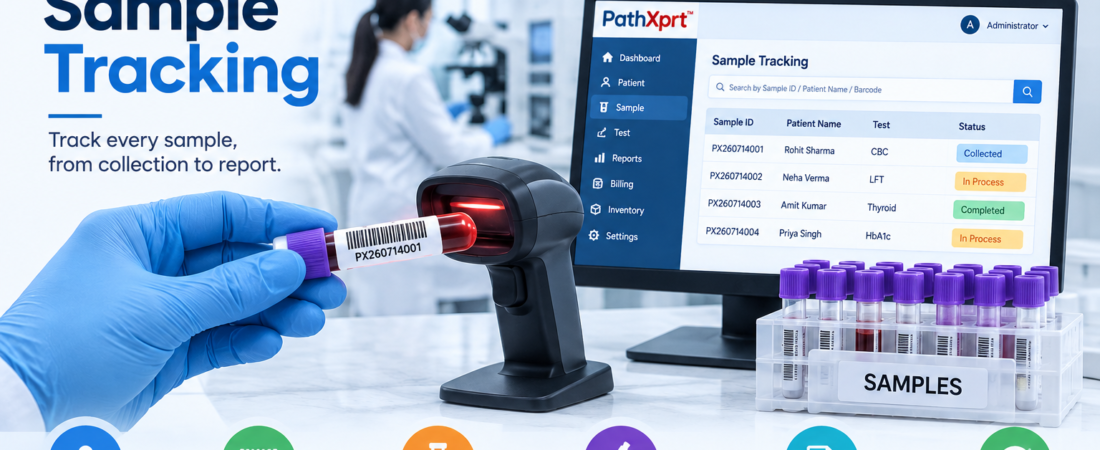
Sample tracking is one of the most important functions of laboratory software. Samples may move through collection, transportation, processing, testing, verification, and reporting.
Barcode-based workflows can provide each sample with a unique identifier. Staff can then monitor the sample status during different stages of the laboratory process.
3. Organized Test and Report Management
Diagnostic centers can perform a large number of tests every day. Laboratory software can organize test profiles, parameters, reference ranges, patient information, results, and report templates in a structured environment.
4. Better Billing Management
A connected laboratory system can link selected tests and packages with billing information. This can help staff manage daily transactions more systematically.
- Test billing
- Test packages
- Discount management
- Payment tracking
- Receipts
- Due amounts
- Corporate accounts
5. Multi-Branch Management
Diagnostic businesses may operate multiple branches and sample collection centers. Managing information separately at every location can make centralized monitoring difficult.
A suitable laboratory management system can help authorized users monitor relevant operational information from different locations, depending on the software architecture.
6. Organized Patient Reports
Patients expect laboratory reports to be easy to access and retrieve. Digital reporting can help diagnostic centers generate standardized reports and deliver them through supported communication channels.
Depending on the implementation, reports may be delivered through patient portals, email, SMS, WhatsApp integrations, printed copies, or downloadable documents.
7. Better Laboratory Workflow Management
A diagnostic laboratory has multiple activities running simultaneously. Reception staff may register patients while technicians process samples and authorized professionals review results.
A centralized platform can provide role-based workflows so different users can perform tasks relevant to their responsibilities.
Essential Features of Laboratory Management Software
When selecting a laboratory management system for diagnostic centers, it is important to evaluate features according to the actual workflow of the laboratory.
Patient Management
Manage patient registration, profiles, visits, contact information, and previous records from a centralized system.
Sample Management
Manage sample collection, barcode generation, sample status, processing, and workflow tracking.
Test Management
Configure tests, profiles, packages, departments, sample types, and result parameters according to laboratory requirements.
Result Management
Authorized users can enter, review, verify, and manage laboratory results through controlled workflows.
Report Generation
Generate standardized diagnostic reports using configurable report formats and laboratory-specific information.
Billing
Manage invoices, receipts, packages, discounts, payments, and outstanding amounts through an organized billing workflow.
How a Laboratory Management System Improves Sample Management
Sample management is a critical part of diagnostic laboratory operations. A sample may pass through several stages before a final report is released.
Without proper tracking, laboratory staff may find it difficult to determine the current status of a sample.
Barcode-based sample management can assign a unique identifier to each sample and help staff monitor its progress.
Sample Workflow: Patient Registration → Barcode → Collection → Processing → Testing → Verification → Reporting
The WHO Laboratory Quality Manual provides useful information about laboratory processes and quality practices.
How It Helps With Laboratory Reporting
Report generation is one of the most important stages of diagnostic laboratory operations. Patients and healthcare professionals depend on laboratory reports for clinical information.
A digital laboratory workflow can help organize result entry, review, verification, report generation, and report delivery.
Typical Reporting Workflow
- Test result entry
- Result review
- Result verification
- Report generation
- Report delivery
The exact reporting workflow should be configured according to the diagnostic center’s processes, professional responsibilities, and applicable requirements.
Laboratory Quality and Data Management
Laboratory quality is not only about software. It involves people, processes, equipment, documentation, training, and continuous improvement.
Software can support these processes by helping laboratories maintain organized records, workflows, and operational information.
The CDC laboratory quality resources provide information about laboratory quality management and laboratory processes.
How to Choose the Right Laboratory Management System for Diagnostic Centers
Every diagnostic center has different requirements. A small pathology laboratory may need basic patient management, sample tracking, billing, and reporting features.
A large diagnostic network may require additional functionality such as multi-branch management, collection center management, advanced sample tracking, analytics, integrations, and patient portals.
Important Factors to Consider
- Laboratory size and workflow
- Number of daily patients
- Number of tests
- Number of branches
- Sample collection centers
- Barcode requirements
- Report customization
- User roles and permissions
- Data backup
- Security and access control
- API and third-party integrations
- Technical support
- Future scalability
Looking for a Modern Laboratory Management Solution?
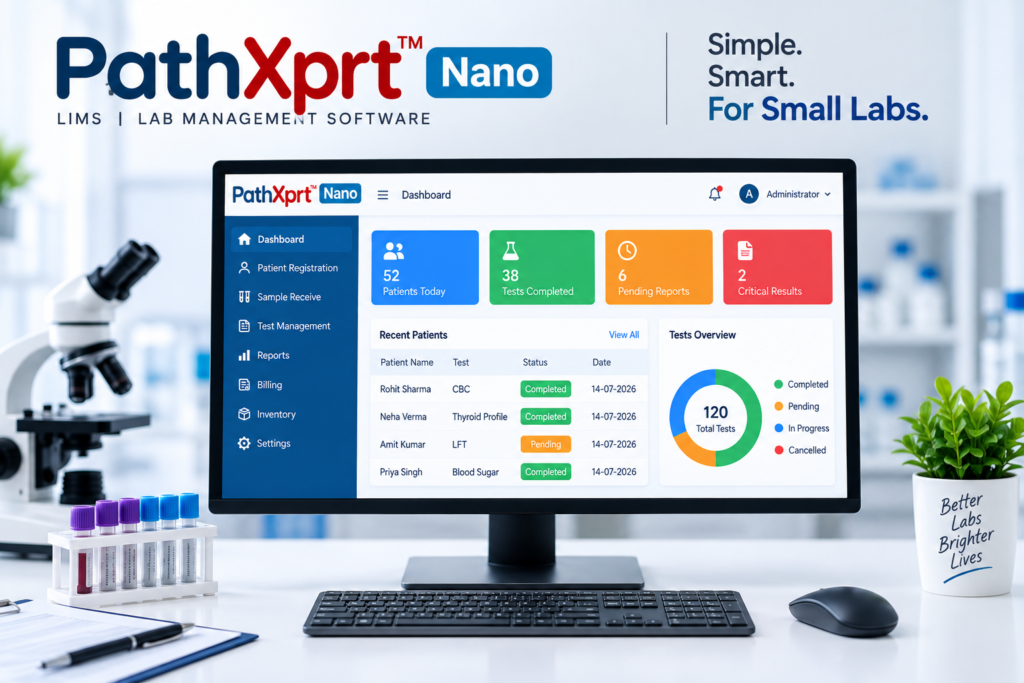
PathXprt helps laboratories organize their digital workflow, from patient registration and sample management to reporting and laboratory operations.
Frequently Asked Questions
What is a laboratory management system?
A laboratory management system is software that helps laboratories manage patient registration, sample tracking, testing, results, reports, billing, and operational records.
Why do diagnostic centers need laboratory management software?
Diagnostic centers handle large volumes of patient, sample, test, and report information. Laboratory software can connect these activities through a structured digital workflow.
Can laboratory software manage multiple branches?
Many laboratory software platforms support multi-branch management. The exact functionality depends on the software provider, configuration, and infrastructure.
Can a laboratory management system track samples?
Yes. Sample tracking is a common laboratory software feature. Barcode-based workflows can help identify samples and monitor their status through different stages.
Can laboratory software generate diagnostic reports?
Yes. Laboratory systems can support result entry, verification, report generation, and report delivery according to the configured workflow.
Is laboratory management software suitable for pathology laboratories?
Yes. Pathology laboratories can use laboratory software to manage patient registration, sample collection, testing, results, reporting, billing, and other operational activities.
Conclusion
A laboratory management system for diagnostic centers can help bring patient management, sample tracking, testing, reporting, billing, and laboratory workflows into a structured digital environment.
As diagnostic centers grow, managing increasing numbers of patients and samples manually can become challenging. A centralized system can provide better visibility into daily operations and help staff manage repetitive administrative activities more efficiently.
The right solution should match the laboratory’s size, workflow, departments, reporting requirements, number of locations, integrations, and future growth plans.
For diagnostic centers looking to modernize laboratory operations, a dedicated laboratory management platform can become an important part of building an organized and scalable digital workflow.