
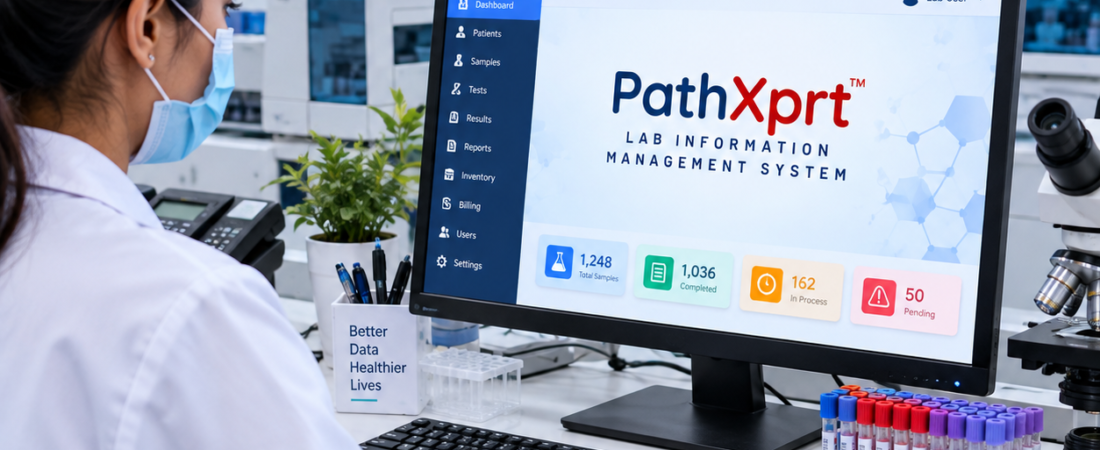
If you are looking for LIMS Software India in 2026, don’t start by comparing 50 features on different websites.
Start with one simple question:
Will this software actually make my laboratory’s daily work easier?
A good LIMS should help your team follow a sample from registration to final report, keep track of results and approvals, connect with laboratory equipment, and maintain the records your quality team needs.
For diagnostic and pathology laboratories, PathXprt LIMS is one option worth evaluating if you are looking for a cloud-based system. Its documented features cover sample collection, accessioning, barcode tracking, reporting, result approval, finance, analytics, multi-location management and analyzer interfacing.
Explore PathXprt LIMS Software
Read our guide to laboratory sample tracking
Best LIMS Software India: 2026 Buying Guide
Quick answer: The right LIMS software in India is the system that fits your laboratory workflow, not simply the one with the longest feature list. Before choosing, check sample traceability, reporting, result approval, quality records, analyzer integration, user permissions, data security, support and scalability.
This guide is for pathology labs, diagnostic centres, hospital laboratories, quality managers, laboratory directors and multi-branch diagnostic groups evaluating LIMS software in 2026. Use it as a practical checklist during vendor demos rather than relying only on feature brochures.
Who should read this guide?
Short answer: This guide is most useful for laboratory owners, pathologists, laboratory managers, quality teams, hospital laboratory teams, multi-branch diagnostic groups and IT or operations managers involved in selecting or replacing LIMS software.
This article is mainly for people who already understand laboratory work but don’t want to spend weeks learning software terminology before choosing a LIMS.
That could be a:
- Pathology lab owner
- Pathologist or laboratory director
- Laboratory manager
- Quality manager
- Hospital laboratory team
- Multi-branch diagnostic group
- IT or operations manager
You probably already know how registration, sample collection and reporting work.
The real problem comes later.
You need to know whether the software will fit your existing process—or whether your team will have to change everything just to make the software work.
That’s the part worth checking before you buy.
What does LIMS software actually do?
Short answer: LIMS connects laboratory activities such as registration, sample collection, accessioning, testing, result entry, verification, approval and report delivery so staff can follow the complete sample journey in one workflow.
LIMS stands for Laboratory Information Management System.
In simple terms, it brings different laboratory activities into one connected workflow.
A typical diagnostic laboratory process might start with patient or sample registration. From there, the sample moves through collection, accessioning, testing, result entry, verification, approval and finally report delivery.
The important thing isn’t how many buttons the software has.
It’s whether you can answer basic questions about a sample.
Where did it come from?
Who handled it?
Which tests were assigned?
What happened during processing?
Who entered the result?
Who verified it?
When was the report approved?
Can you find the complete record later?
If the software can answer those questions clearly, you’re looking at something more useful than just a nice-looking dashboard.
What is LIMS Software
Start your LIMS evaluation with sample tracking
This is where I would start any LIMS demo.
Not the dashboard. Not the mobile app. The sample.
Barcode support is useful, but a barcode by itself doesn’t solve a laboratory workflow problem. The important thing is what happens after that barcode is created.
PathXprt documents barcode printing and tagging, sample segmentation, quality checks, archiving, storage and barcode scanning. Its accession workflow also connects samples with workflows, tests and protocol versions.
During a demo, ask the vendor to show you this exact journey:
Register → Collect → Accession → Process → Verify → Approve → Report
Then make the situation slightly difficult.
Ask what happens if the sample is rejected.
Ask what happens if somebody enters an incorrect result.
Ask what information is recorded when that result is corrected.
Those answers tell you much more about the software than a 20-minute presentation about its dashboard.
A laboratory report is more than a PDF
Most LIMS products can generate reports.
That’s not really the question.
The better question is: How does the result become an approved report?
A laboratory may need different report templates, result entry, verification and controlled approval depending on its workflow.
PathXprt documents custom report templates, digital report generation, bulk reporting, speech-to-text entry and an error-checking engine. It also documents role-based physician verification for result approval.
During your demo, ask:
“Show me what happens when an already-entered result needs to be corrected.”
Don’t just ask whether an audit trail exists.
Ask to see it.
Who can change the result?
What is recorded?
Who approves the final report?
Can an unauthorized user make the change?
These are practical questions. They matter far more than whether the report screen has ten different colour options.
[INTERNAL LINK: Pathology Reporting Software]
Does a “NABL compliant LIMS” make a laboratory NABL accredited?
Short answer: No. LIMS can support documented laboratory processes and quality controls, but software alone does not make a laboratory NABL accredited.
No.
This is an area where buyers should be careful with marketing language.
NABL accredits medical laboratories against ISO 15189, while testing and calibration laboratories are accredited against ISO/IEC 17025. NABL’s requirements cover areas such as personnel, equipment, reagents, pre-examination processes, examination processes, post-examination processes, information management and control of records.
So don’t stop at a vendor saying:
“Our software is NABL compliant.”
Ask something more useful:
“Which features of your LIMS support our NABL/ISO 15189 procedures?”
Then ask the vendor to demonstrate those features.
For example, you can check:
- User permissions
- Result approval
- Audit trails
- Sample traceability
- Quality-control workflows
- Equipment records
- Reagent tracking
- Record management
- Report authorization
The software can support your laboratory’s quality processes.It doesn’t replace your laboratory’s procedures, trained staff or accreditation assessment.
Is a cloud LIMS better than traditional laboratory software?
Short answer: Not automatically. Cloud deployment can be useful for multi-location labs, remote access and centralized management, but the decision should also consider security, connectivity, backups, permissions, support and data portability.
There isn’t one answer for every laboratory.
But cloud software becomes interesting when you have multiple locations, remote teams or management that needs access to current laboratory information without depending on one local machine.
PathXprt describes itself as a cloud-based LIMS and documents centralized management for branches and partner laboratories, along with controlled user access and centralized laboratory information.
Still, don’t choose a system simply because the vendor says “cloud.”
Ask practical questions.
Where is the data hosted?
How are users authenticated?
How are permissions managed?
What happens when an employee leaves?
How is the data backed up?
What happens if the internet goes down?
Can you export your data?
How are updates handled?
Who handles technical support?
And what happens if an integration stops working?
These details are boring during a sales demo.
They become very important after implementation.
Analyzer integration: don’t accept a generic “yes”
This is another area where I would push the vendor for specifics.
A laboratory doesn’t use “an analyzer.”
It uses a particular machine, a particular communication method and a particular workflow.
PathXprt states that it supports direct laboratory-equipment interfacing for automated results.
So take your actual analyzer list to the demo.
Then ask:
“Can you show me this exact integration?”
If it isn’t currently available, ask what is required to build it, who handles the implementation and whether there are additional costs.
A feature written on a website and a working integration in your laboratory are two different things.
[INTERNAL LINK: LIMS Analyzer Integration]
Should your LIMS also handle billing and finance?
Short answer: It depends on your operating model. If billing, payments and laboratory operations are already tightly connected, having them in one system can reduce duplicate work. If finance is handled separately, make sure the LIMS can integrate cleanly without forcing an unnecessary change.
That depends on how you want your laboratory software to work.
Some laboratories prefer separate systems. Others want laboratory operations and financial information connected.
PathXprt documents payment recording, invoice generation, price lists, discounts, dues collection and MIS reporting, along with financial and operational analytics.
If you have multiple branches, ask to see the reports you actually use.
For example:
Can I see pending payments by branch?
Can I see sample status?
Can I check user activity?
Can I see operational reports?
Don’t accept “we can customize it later” without asking how that customization works and what it will cost.
Get the answer in writing.
PathXprt vs a traditional laboratory system
Key takeaway: A newer LIMS is not automatically the right choice. Compare the systems against your real workflow, migration effort, integration needs and future plans before deciding.
There is no reason to replace a working laboratory system just because a newer product has a better-looking interface.
If your current software handles your workflow well, migration itself has a cost—in time, training, data movement and change management.
The situation is different when your laboratory is working with disconnected tools.
For example, registration may be in one system, reporting in another, inventory somewhere else and branch information in spreadsheets.
PathXprt documents a connected platform covering order management, sample collection, accessioning, pathology, reporting, approval, dispatch, finance, analytics and multi-location support.
Busysoft’s Labmate.net takes a broader ERP-LIMS approach and documents laboratory workflow management, patient records, accounting, histopathology, microbiology, total quality control, mobile applications and business intelligence. Busysoft also states that the product has been developed through 25 years of R&D.
The useful comparison isn’t simply:
PathXprt vs Labmate vs another LIMS.
Ask instead:
Which system matches the way our laboratory actually operates?
That question usually produces a better buying decision.
What should you test before buying LIMS software?
Key takeaway: Ask every shortlisted vendor to demonstrate the same real laboratory workflow. This makes it easier to compare systems on actual usability rather than presentation quality.
| Area | What to check in the demo |
|---|---|
| Sample tracking | Registration, barcode, accessioning, movement and rejection |
| Reporting | Result entry, verification, correction, approval and dispatch |
| Quality | Audit trail, permissions, QC and controlled records |
| Integration | Actual analyzer, API, payment or communication integrations |
| Operations | Inventory, billing, branch reporting and user management |
| Implementation | Migration, training, support, backups and data export |
Don’t let every vendor give you a completely different demo.
Give every shortlisted vendor the same test cases.
Ask them to demonstrate:
- Patient or sample registration
- Barcode generation and scanning
- Sample accessioning
- Sample rejection and recollection
- Test assignment
- Analyzer result transfer
- Result verification
- Result correction
- Report authorization
- Report dispatch
- Audit trail
- User permissions
- Inventory and reagent management
- Quality-control workflow
- Branch-level reporting
- Data export and backup
- API and integrations
- Mobile or remote access
- Data migration and implementation
- Post-launch support
These are not just questions for the sales team.
Get your laboratory users involved too.
The person who will actually enter samples every day may notice problems that nobody in the management presentation catches.
Frequently Asked Questions About LIMS Software in India
What is the most important LIMS feature for a pathology lab?
Start with sample traceability. The system should let your team follow a sample from registration and collection through testing, verification, approval and reporting.
Is cloud-based LIMS suitable for Indian laboratories?
It can be, particularly for laboratories that need centralized access or manage multiple locations. Evaluate security, connectivity, backups, permissions, support and data export before choosing.
Does NABL compliance of software guarantee NABL accreditation?
No. Software can support quality processes and records, but accreditation depends on the laboratory’s overall processes, personnel, equipment, quality system and assessment requirements.
What should I ask during a LIMS demo?
Ask the vendor to demonstrate your actual workflow, including sample registration, barcode tracking, rejected samples, result correction, approval, reporting, audit trails and the analyzer integrations you use.
Can LIMS software support multiple laboratory branches?
Many LIMS platforms support centralized or multi-location workflows. Confirm how branch users, samples, reports, billing, permissions and management reports are separated or consolidated in the system.
Who should consider PathXprt?
Short answer: PathXprt is worth evaluating if your diagnostic or pathology laboratory wants a cloud-based workflow covering sample management, reporting, approvals, equipment interfacing, finance, analytics or multi-location operations. The final choice should still be based on your own demo and requirements.
PathXprt is positioned for diagnostic laboratories, hospital laboratories, clinics and individual laboratories.
Its documented feature set includes sample management, reporting, laboratory equipment interfacing, barcode workflows, approvals, finance, analytics and multi-location operations.
It is worth putting through a proper evaluation if you are looking for a cloud-based laboratory workflow with centralized management and digital reporting.
But don’t select it—or any other LIMS—just because the website looks good.
Take your real workflow into the demo.
If you have specialized tests, old analyzer integrations, unusual approval processes or specific quality requirements, demonstrate those.
That’s where you find out whether the software actually fits.
[INTERNAL LINK: PathXprt LIMS Features]
The right way to choose LIMS Software India
The best LIMS for your laboratory isn’t necessarily the one with the biggest feature list.
It isn’t automatically the cheapest one either.
Before making a decision, I would ask four questions:
Can the system trace our samples properly?
Can it control and record result changes and approvals?
Can it work with the equipment and systems we already use?
Can it support the quality and record-management processes our laboratory follows?
PathXprt’s documented workflow covers the journey from order and sample collection through accessioning, reporting, approval, dispatch and finance, making it a system worth including in a serious LIMS evaluation.
And if you’re replacing an old system, don’t migrate everything on day one.
Pick one real sample workflow.
Pick one actual analyzer.
Pick one real report.
Pick one quality-control scenario.
Run all four through the proposed LIMS.