
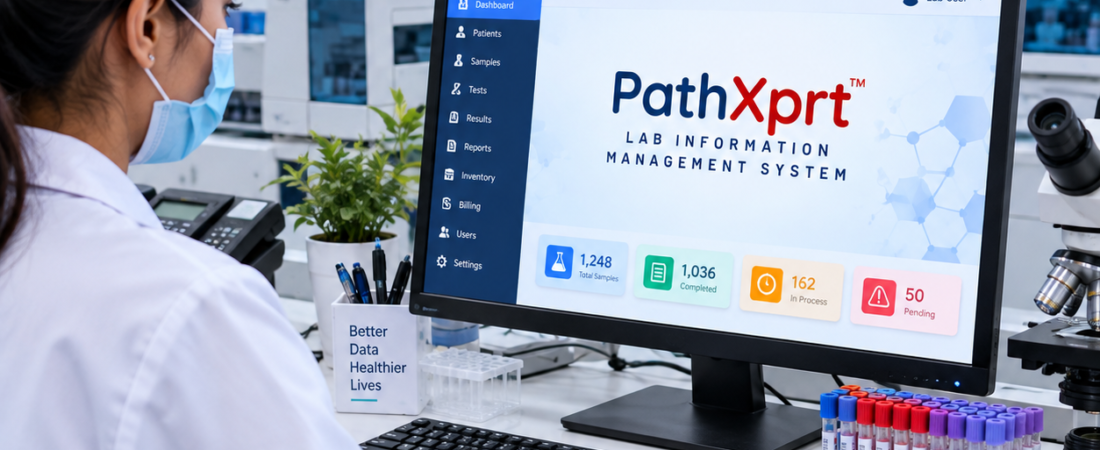
Lab Sample Management Software for Pathology Labs: Complete Guide
Quick answer: Lab sample management software helps pathology and diagnostic laboratories track each sample from collection and accessioning through testing, reporting, storage and archival. The right system should show the sample’s identity, status, location and history without forcing staff to maintain separate spreadsheets or registers.
This guide is for pathology labs, diagnostic centres, hospital laboratories and multi-location labs that are evaluating sample-management or LIMS software. The practical test is simple: can the system follow one real sample through your entire workflow, including transfers, rejected samples and repeat testing?
A pathology lab does not have a sample-tracking problem simply because it lacks a barcode. The real problem starts when nobody can quickly answer: Where is this sample, what has already happened to it, what needs to happen next, and who handled it?
That is where lab sample management software becomes useful. It connects sample collection, accessioning, identification, processing, testing, storage, verification and reporting into a traceable digital workflow.
For a diagnostic or pathology laboratory, the software should fit the way samples actually move through the lab—not force technicians to create workarounds.
What does lab sample management software actually do?
Short answer: It creates a digital record for each sample and keeps that record connected to the patient, tests, workflow status and sample history as the specimen moves through the lab.
Instead of relying on separate registers, spreadsheets, handwritten labels or verbal updates, the laboratory team can work from a connected system.
Instead of relying on separate registers, spreadsheets, handwritten labels or verbal updates, the laboratory team can work from a connected system.
A typical workflow looks something like this:
Patient registration → Sample collection → Accessioning → Barcode identification → Sample processing → Testing → Verification → Reporting → Storage/archival
The exact workflow differs between laboratories. A pathology lab may have different requirements from a research laboratory, reference laboratory or pharmaceutical testing facility.
The important part is traceability.
For laboratories looking for a complete pathology lab management software, sample tracking should be connected with the wider laboratory workflow rather than operated as an isolated process.
Why is sample tracking harder than it looks?
Short answer: A sample can pass through several people, departments and locations before reporting, so a simple “received” record does not tell the full story.
Consider a sample arriving at a busy diagnostic centre.
It needs to be identified correctly. The required tests need to be assigned. The sample may move to another department, be processed, sent to another location or outsourced, and later return for reporting.
A basic spreadsheet can record some of this.
The problem is what happens between those entries.
Who received the sample?
Was it accepted or rejected?
Which department has it?
Has testing started?
Was it transferred?
Is the sample still available for a repeat test?
Those questions become harder to answer as sample volume, staff and locations increase.
That is why laboratory systems put emphasis on sample traceability, status tracking, barcodes and workflow history.
For example, CrelioHealth sample management software describes barcode-based sample identification, tracking, transfers, outsourcing and archival.
What should happen when a sample reaches the lab?
Short answer: Accessioning should confirm the sample identity, specimen type, requested tests and acceptance status before the sample moves into processing.
This is one area buyers should examine during a software demo.
Sample accessioning should not be treated as a simple “received” button.
The system should support the decisions your staff actually make.
- Is the sample correctly identified?
- Is the required specimen available?
- Does it meet the laboratory’s acceptance criteria?
- Which tests are assigned?
- Which department should receive it?
- Does it need to be transferred or outsourced?
- Where should the sample be stored after processing?
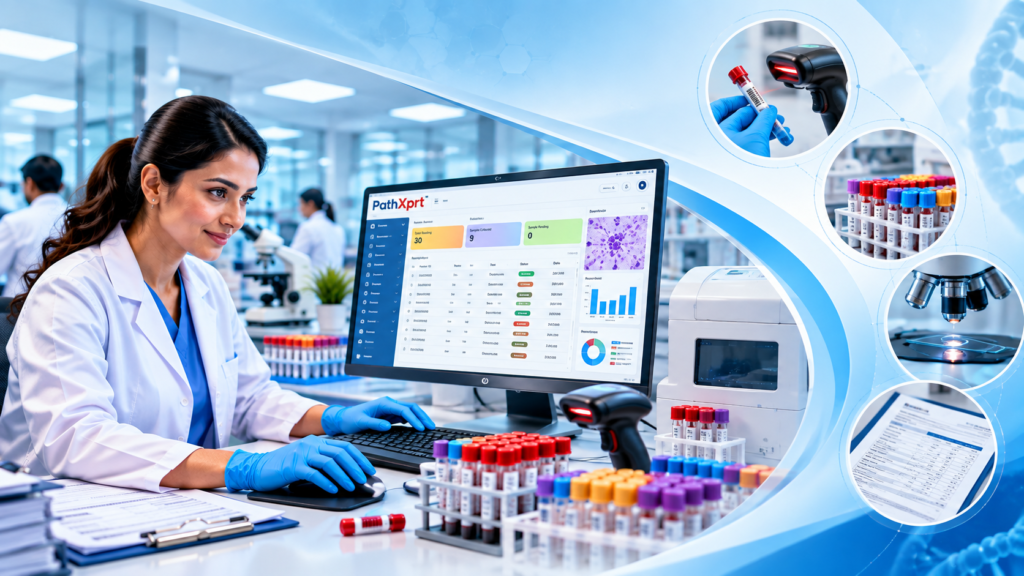
PathXprt provides sample accessioning features including barcode printing and tagging, sample segmentation, outsourcing, quality checks, archiving and barcode scanning as part of its laboratory workflow.
You can explore the PathXprt LIMS solution to see how sample management fits into a broader pathology laboratory workflow.
That matters because exception handling is part of sample management too.
A software demo that only shows the perfect sample moving from registration to report is not enough. Ask the vendor to demonstrate what happens when the sample is rejected, transferred, delayed or sent for additional processing.
Practical example: A patient has CBC and thyroid tests collected in two tubes. During a software demo, ask the vendor to show how both specimens remain linked to the same patient and order, while each tube keeps its own status and tracking history.
Barcode tracking is useful—but barcode printing alone is not enough
Short answer: A barcode is useful only when the software connects that scan to the correct patient, test, status and sample history.
Barcodes give each sample a machine-readable identity.
But the value comes from what the software does with that identity.
A useful barcode workflow should connect the sample to the relevant patient and test information and allow authorised staff to update its status as it moves through the lab.
PathXprt’s published workflow includes barcode scanning for sample receipt and tracking.
Similarly, CrelioHealth’s sample management system describes barcode-based accessioning and sample tracking.
So when evaluating software, don’t ask only:
“Does it support barcode?”
Ask:
“Show me the complete barcode workflow from collection to final reporting.”
That question produces a much more useful demo.
Can the software track samples across departments and locations?
Short answer: It should show where a sample was collected, where it moved, its current status and who handled the transfer, subject to the laboratory’s configured permissions.
For a small single-location lab, sample movement may be relatively simple.
For a diagnostic centre with collection points, departments, partner laboratories or multiple branches, it becomes a different problem.
The software needs to maintain visibility when a sample changes location.
CrelioHealth describes cross-location transfers and sample outsourcing, while PathXprt publishes multi-location and sample outsourcing capabilities.
During a demo, test a real scenario:
Collection centre → Central laboratory → Testing department → Reporting → Archival
Ask the vendor to show every status change.
If the team has to maintain a separate spreadsheet to know where the sample went, the sample-management workflow is incomplete.
For laboratories managing multiple branches, you can also explore PathXprt’s laboratory management workflow.
What about sample storage and archival?
Short answer: Sample management should continue after reporting when your laboratory needs to retain, locate or retrieve specimens and their records.
Sample management does not end when the result is reported.
Depending on the laboratory’s workflow, samples may need to remain identifiable and retrievable after testing.
LabKey Sample Manager describes sample management across activities such as receipt, processing, storage, retrieval, shipping and disposal.
LabZila’s sample management software also describes sample lifecycle tracking through storage and final disposition.
For pathology labs, the practical question is simple:
If someone asks for a sample later, can your team find the record and understand what happened to it?
The answer should not depend on someone’s memory.
Sample management should connect with reporting—not sit beside it
A common mistake during software selection is evaluating sample tracking as a separate feature.
In a pathology lab, sample data is connected to the rest of the testing workflow.
PathXprt connects sample collection and accessioning with laboratory workflows, result approval, reporting and report dispatch.
If you are specifically evaluating pathology lab reporting software, check whether sample identification and test information remain connected throughout the reporting process.
If sample identification happens in one system, test information in another and reporting somewhere else, staff may end up manually transferring information between systems.
The more times information is manually copied, the more opportunities there are for an entry to be missed or entered incorrectly.
Should you buy sample tracking software or a complete LIMS?
Short answer: Choose based on the workflow you need to manage. A sample-tracking tool may focus on identity and movement, while a complete LIMS can connect sample management with testing, reporting, instruments, quality processes and other laboratory operations.
This is an important question because the two terms are sometimes used interchangeably.
They are not automatically the same thing.
A dedicated sample-tracking product can focus primarily on sample identity, location, lifecycle and history. A broader LIMS/LIS can cover sample workflows along with testing, reporting, instruments, quality processes, billing, inventory and other laboratory operations.
Sapio Sciences describes sample management as part of a configurable LIMS environment covering areas such as sample reception, registry, tracking and reporting.
Clinisys laboratory solutions similarly position sample management and specimen tracking within broader laboratory software.
For a pathology laboratory already using a laboratory management system, adding a separate tracking product might create another integration point.
If you are replacing your main lab software, evaluate the complete workflow instead.
What should you check before buying lab sample management software?
Short answer: Test the software with one real sample journey instead of comparing feature counts. Check identification, accessioning, status changes, transfers, storage, reporting and exception handling.
Don’t compare vendors only by counting features.
- Sample registration and accessioning
- Barcode generation and scanning
- Sample status and location history
- Acceptance and rejection workflows
- Department transfers and outsourcing
- Storage, retrieval and archival
- Reporting and result integration
- Instrument or analyser integration where required
- User permissions and audit history
Take one real sample journey from your laboratory and ask each vendor to demonstrate it.
Sample registration and accessioning
Can staff register and identify the sample without unnecessary duplicate entry?
Barcode workflow
Can labels be generated, scanned and linked to the correct patient and tests?
Sample status
Can staff immediately see whether a sample is received, processing, completed, transferred, outsourced or archived?
Quality checks
Can your team record acceptance or rejection according to your laboratory workflow?
Sample transfer
Can the system show where the sample moved and when?
Outsourcing
Can outsourced samples remain visible within the main workflow?
Storage and retrieval
Can authorised users locate historical sample information?
Reporting integration
Does sample information remain connected to test processing and reporting?
Instrument integration
If analysers are part of your workflow, can the software integrate with them? PathXprt publishes laboratory equipment interfacing for automated results.
Access control and auditability
Can different users have appropriate access, and can important actions be traced?
Who is lab sample management software actually for?
Short answer: It is most useful for pathology labs, diagnostic centres, hospital laboratories and multi-location operations where sample volume or workflow complexity makes manual tracking difficult.
It makes sense for laboratories where sample volume, staff, locations or workflow complexity has reached the point where manual tracking creates friction.
It can be particularly relevant for diagnostic laboratories, pathology labs, hospital laboratories and multi-location operations.
But it is not automatically the right purchase for every laboratory.
If your operation is extremely small, your sample workflow is simple, and your existing system already provides reliable traceability, buying another application may add complexity instead of removing it.
The software should solve a real operational problem.
What makes PathXprt relevant for sample management?
Short answer: PathXprt positions sample management as part of the wider laboratory workflow, connecting collection and accessioning with tracking, reporting and other lab operations.
PathXprt approaches sample management as part of a wider laboratory workflow rather than treating tracking as an isolated function.
Its published features include sample collection, accessioning, barcode management, sample segmentation, outsourcing, quality checks, archiving, storage, batch and plate management, automated notifications and laboratory equipment interfacing.
It also connects these workflows with reporting, approval, dispatch, finance and multi-location management.
If you are looking for a broader LIMS for pathology laboratories, PathXprt is worth including in your software evaluation.
What is the best way to evaluate a sample management system?
Short answer: Use one real sample as a test case and ask the vendor to demonstrate the complete journey, including at least one exception such as rejection, transfer, outsourcing or retrieval of an old record.
Don’t start with the feature sheet.
Simple demo checklist
- Register a patient and create the required test order.
- Collect and label one or more specimens.
- Scan the sample and verify its identity.
- Move it through another department and check the status.
- Record an exception such as rejection, transfer or repeat testing.
- Complete reporting and then locate the historical sample record.
Start with one real sample.
Show the vendor exactly how your laboratory receives it, labels it, assigns tests, processes it, transfers it, reports it and stores or archives it.
Then ask the vendor to demonstrate the same workflow inside the software.
After that, deliberately introduce an exception: reject the sample, transfer it, outsource it or search for an old record.
That is where you will learn more about the software than from a 30-minute presentation full of feature icons.
For pathology laboratories evaluating lab sample management software, the goal is straightforward: every sample should have a clear identity, visible status and traceable history from collection through the final stage of its laboratory journey.
If your current process cannot answer “Where is this sample and what happened to it?” quickly, that is the problem your next LIMS should solve.
Lab Sample Management Software: FAQs
What is lab sample management software?
It is software that records and tracks laboratory samples through collection, accessioning, processing, testing, reporting, storage and other configured stages.
Who needs lab sample management software?
It can be useful for pathology labs, diagnostic centres, hospital laboratories and multi-location operations that need better sample visibility and traceability.
Does sample management software replace a LIMS?
Not necessarily. Sample management can be a standalone function, while a LIMS can connect sample workflows with testing, reporting, instruments and other laboratory operations.
Why are barcodes useful for sample management?
Barcodes provide a machine-readable sample identity. Their value comes from connecting each scan with the correct patient, test, status and sample history.
What should I test during a software demo?
Use a real sample journey and test collection, accessioning, scanning, transfer, exception handling, reporting and historical retrieval rather than reviewing only a feature list.
Ready to evaluate a pathology laboratory workflow? Visit PathXprt and explore how sample management fits into a complete LIMS workflow.