
LIMS software demo 2026
LIMS software demo 2026 is often the first step for a laboratory that wants to understand whether a Laboratory Information Management System can actually improve its day-to-day work.
Choosing laboratory software is not just about looking at a modern dashboard. A diagnostic lab needs software that fits the way its team works—from patient registration and sample collection to testing, verification, reporting, billing, and communication.
That is why seeing the actual workflow through a demo can be more useful than simply reading a list of features.
Table of Contents
- What Is a LIMS Software Demo?
- Why Should a Laboratory Watch a Demo?
- What Should You Check During a LIMS Demo?
- Sample Collection and Tracking
- Faster Laboratory Reporting
- Patient and Doctor Management
- Automation for Daily Lab Operations
- Why Choose PathXprt LIMS?
- Questions to Ask Before Choosing LIMS
- Final Thoughts
What Is a LIMS Software Demo?
A LIMS software demo is a practical walkthrough of laboratory management software.
Instead of only explaining what the system can do, a demo allows laboratory owners, pathologists, technicians, administrators, and other team members to see how the software works.
For example, you may want to see how a new patient is registered, how a sample is assigned, how its status is tracked, and how the final report reaches the patient.
This gives you a better understanding of whether the software fits your laboratory’s actual workflow.
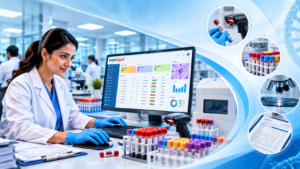
Why Should a Laboratory Watch a LIMS Software Demo 2026?
Every laboratory operates differently.
A small pathology lab may have a simple workflow, while a multi-location diagnostic centre may need centralized management, multiple users, barcode tracking, analyser integration, customized reports, and detailed analytics.
A demo helps you answer practical questions before making a decision.
You can check:
- How easy is patient registration?
- Can samples be tracked easily?
- Can reports be customized?
- How does report verification work?
- Can multiple users access the system?
- Is there support for multiple locations?
- Can the software integrate with analysers?
- How are patients notified?
- Can management view useful reports and analytics?
These questions are often more important than simply counting the number of features.
What Should You Check During a LIMS Software Demo 2026 ?
When attending a LIMS software demo, don’t focus only on the homepage or dashboard.
Ask the provider to demonstrate a complete patient journey.
1. Patient Registration
Start with a new patient.
Check how quickly the receptionist can enter patient details, select tests, add referring-doctor information, and create an order.
The process should be straightforward enough for staff to use comfortably during busy hours.
2. Sample Collection
Next, look at sample collection.
A good laboratory system should make it easy to identify the required sample, record collection information, and move the order to the appropriate testing workflow.
If your laboratory handles a high volume of samples, small improvements in this stage can make a noticeable difference.
3. Barcode and Sample Tracking
Sample identification is critical in diagnostic workflows.
During the demo, ask how barcodes are generated and how samples are tracked after collection.
You should be able to understand the current status of a sample without searching through paper records or multiple disconnected systems.
PathXprt provides barcode printing and tagging, sample tracking, sample accessioning, quality checks, and sample archiving as part of its published laboratory workflow features. PathXprt
Faster Laboratory Reporting
Reporting is one of the most important stages of the diagnostic process.
During a LIMS software demo, ask the provider to show the complete reporting workflow—not just a finished sample report.
Look at how test results are entered, reviewed, verified, and released.
A useful LIMS can help organize these stages and reduce repetitive manual work.
PathXprt includes customizable report templates, digital report generation, bulk reporting, report verification, and automated verification alerts among its published features.
The exact workflow can vary depending on the laboratory’s configuration.
Patient and Doctor Management
Modern diagnostic laboratories communicate with many different people every day.
Patients want quick access to their reports.
Doctors may need convenient access to reports for their patients.
Laboratory staff need a centralized view of orders and results.
During your LIMS software demo, ask how the system handles these different requirements.
Look for features such as:
- Patient history
- Doctor management
- Digital report delivery
- Automated notifications
- Patient communication
- Report access
- Referral management
PathXprt describes automated SMS, email, and WhatsApp notifications as part of its platform capabilities.
Automation for Daily Lab Operations
Laboratory automation is not only about machines.
Software automation can also reduce repetitive administrative work.
For example, automated notifications can reduce manual follow-up calls. Automated report workflows can reduce unnecessary data handling. Centralized sample tracking can make it easier to identify pending work.
This is where a modern LIMS can become more than a reporting tool.
It can act as a central system for coordinating laboratory operations.
Why Choose PathXprt LIMS?
PathXprt is a cloud-based laboratory management platform designed for diagnostic laboratories, hospital laboratories, clinics, and individual laboratories.
The platform brings different laboratory activities together, including patient and order management, sample collection, accessioning, testing workflows, reporting, dispatch, finance, and analytics.
You can explore the platform through the PathXprt website.
The platform also lists capabilities such as:
- Sample tracking
- Barcode management
- Customizable reports
- Multi-location management
- Analyser interfacing
- Quality control
- Digital report delivery
- Real-time dashboards
- Laboratory workflow management
The right configuration depends on the individual laboratory’s requirements, so a live demonstration is useful before implementation.
What to Ask During a LIMS Software Demo 2026
Before choosing laboratory software, prepare a simple checklist.
Workflow
Can the system handle our current sample-to-report process?
Scalability
Can it support additional users, departments, collection centres, or branches as the laboratory grows?
Integration
Can it connect with our existing analysers or other healthcare systems?
Reporting
Can we customize report templates and approval workflows?
Security
How are user permissions, audit trails, backups, and access controls handled?
Support
What onboarding, training, technical support, and maintenance are included?
Data Migration
Can existing patient and laboratory data be migrated into the new system?
These questions can make the demo much more productive.
LIMS Software Demo Checklist for Diagnostic Labs
| Area | What to Check |
|---|---|
| Patient Management | Registration, history, orders |
| Sample Management | Collection, accessioning, tracking |
| Barcode | Generation and identification |
| Reporting | Templates, verification, delivery |
| Quality Control | QC workflows and monitoring |
| Integration | Analysers and external systems |
| Communication | SMS, email, WhatsApp |
| Analytics | Dashboards and management reports |
| Security | Roles, permissions, audit trails |
| Scalability | Users, branches, departments |
Frequently Asked Questions
What is LIMS Software Demo 2026?
LIMS stands for Laboratory Information Management System. It helps laboratories organize and manage processes such as patient registration, sample tracking, testing, reporting, and related laboratory operations.
Why should I take a LIMS Software Demo 2026?
A demo lets you see how the software handles real laboratory workflows before you commit to using it.
Can LIMS software manage pathology laboratories?
Yes. LIMS platforms can support pathology and diagnostic laboratory workflows, depending on their features and configuration.
Can LIMS integrate with laboratory analysers?
Many modern LIMS platforms support analyser integration. During the demo, ask the provider whether your specific analyser models are supported.
Is cloud-based LIMS suitable for diagnostic labs?
Cloud-based systems can provide centralized access and easier management across locations, subject to the provider’s infrastructure, security controls, connectivity requirements, and your laboratory’s needs.
Final Thoughts
A LIMS software demo should not feel like a sales presentation where someone simply clicks through a few screens.
It should show you how the software can fit into your real laboratory workflow.
Ask the provider to demonstrate a complete journey—from patient registration and sample collection to testing, verification, reporting, and patient communication.
That approach makes it much easier to identify what works for your laboratory and what may need customization.
If you are exploring a modern laboratory management platform, you can visit PathXprt and request a personalized demonstration based on your laboratory’s workflow.