
LIMS Software for Small Pathology Lab
Quick answer: The right LIMS software for a small pathology lab should make everyday work simpler: patient registration, sample tracking, result entry, reporting, approval and billing should connect in one workflow without making a small team manage unnecessary complexity.
This guide is for small pathology labs, diagnostic centres and growing collection-based laboratories that are deciding whether they need a LIMS now or want to replace a basic billing/reporting setup. If your team is small, the goal should be practical usability today with enough room to grow later.
For a small pathology lab, the best LIMS software is not the one with the longest feature list. It is the one that makes registration, sample tracking, testing, reporting, approval and billing easier without forcing a small team to manage a complicated system.
For that reason, PathXprt is worth considering for small and growing pathology laboratories that want one system for their laboratory workflow rather than separate tools for samples, reports and financial operations.
LIMS Software for Small Pathology Lab India
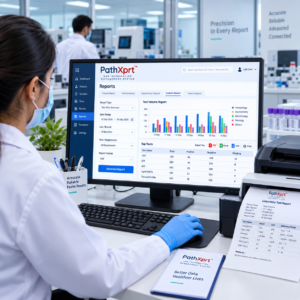
What should a small pathology lab expect from LIMS software?
Short answer: At minimum, the system should handle patient and order management, sample identification, result entry, reporting, approval and billing without creating extra manual work.
A small lab usually does not need every feature advertised by an enterprise laboratory platform.
It needs the basics to work properly.
A patient is registered. A test is selected. The sample gets identified and tracked. Results are entered or received from equipment. A qualified person verifies the report. The report is delivered. Payment and outstanding amounts are recorded.
The software should connect those steps instead of creating another layer of work.
That is the real test of a LIMS software for small pathology lab.
PathXprt describes its workflow around order management, sample collection, accessioning, pathology, reporting, approval, dispatch and finance. Its platform also supports barcode-based sample handling and laboratory equipment interfacing.
Why small labs should not buy software just because it has more features
A common mistake is comparing software by counting features.
One product has 40 features. Another has 60. The second one looks better on paper.
But a small pathology lab might use only registration, billing, sample tracking, result entry and reporting every day.
That makes usability more important than a huge menu.
This is also where the difference between LIS and LIMS becomes useful. Current laboratory-software guides point out that the terms are frequently used interchangeably, while a clinical LIS is focused around patients, orders, specimens, results and reports. Industrial LIMS products can have very different workflows.
So before buying anything, ask a simple question:
Does this software match a pathology lab’s real workflow?
If the answer is unclear, the number of features does not matter much.
What should you check before choosing a LIMS for a small lab?
1. Patient and order management should be straightforward
The front desk should not need several screens to register a patient and create a test order.
PathXprt’s order-management workflow is designed to bring patient registration and sample collection into one platform. Its published features also include customizable forms and communication through SMS, email and WhatsApp.
That matters in a small lab because the same staff member may handle several responsibilities during a shift.
A complicated workflow quickly becomes a staff-training problem.
2. Sample tracking should be traceable
Sample identification is one of those areas where a small error can create a much bigger operational problem.
Look for barcode support, sample identification and traceability rather than simply a “sample management” checkbox.
PathXprt provides barcode printing and tagging, sample tracking, sample acceptance or rejection workflows, archiving and direct barcode scanning.
[INTERNAL LINK: Sample Tracking in LIMS]
The important question during a demo is not “Do you have barcode support?”
Ask the vendor to show you this:
“Register one patient, generate the sample ID, scan it, move the sample through the workflow and show me where that sample can be found later.”
That five-minute demonstration tells you much more than a brochure.
3. Reporting should fit the way your lab actually reports
Small labs usually have their own report formats, test panels and reference ranges.
A good system should therefore give you control over report formats instead of forcing every laboratory into exactly the same template.
PathXprt lists custom report templates, digital report generation, bulk reporting and an error-checking engine among its reporting features. It also advertises speech-to-text entry for reporting.
There is another detail worth checking: approval.
Report generation and report approval are not the same thing. PathXprt provides a secure approval workflow with physician verification and controlled logins.
For a pathology lab, that distinction matters.
[INTERNAL LINK: Digital Pathology Lab Reports]
4. Analyzer integration becomes more important as the lab grows
You might start with manual result entry.
Then the number of tests increases.
At that point, repeatedly moving values from an analyzer into software becomes a workflow issue. The right question is whether the LIMS can connect with the instruments your laboratory actually uses.
PathXprt states that it supports laboratory equipment interfacing and direct analyzer integration for automated result handling.
Do not stop at the phrase “analyzer integration.”
Give the vendor your actual analyzer models and ask:
- Is my analyzer supported?
- Which interface is used?
- Is integration included or charged separately?
- What happens when an interface fails?
- Can the result be reviewed before final approval?
Those answers are more useful than a generic integration claim.
5. Billing should not sit in a completely separate system
A pathology lab is not only a testing operation.
There are payments, discounts, rate lists, outstanding amounts and financial reports.
PathXprt’s finance module includes online and offline payment recording, dues collection, invoices, multiple rate lists, discounts and MIS reporting.
For a small laboratory, keeping operational and financial information connected can reduce the need to reconcile information between separate systems.
[INTERNAL LINK: Pathology Lab Billing Software]
6. Don’t pay for a large-lab setup if you don’t need one
This is probably the most overlooked buying question.
A small standalone pathology lab may not need a complex multi-location configuration on day one.
But that does not mean you should buy software that becomes unusable when you add another collection point or branch.
PathXprt publishes multi-location support and centralized management for branches and partner laboratories.
That gives a small lab something useful to look for: start with the workflow you need now, but don’t block the workflow you may need later.
What does a small lab actually need from its LIMS?
If I were preparing a shortlist for a small pathology lab, I would divide requirements into three groups.
Must work from day one: patient registration, test/order management, sample tracking, result entry, report generation, report approval and billing.
Should be available when required: barcode management, analyzer integration, report delivery, inventory, analytics and user permissions.
Useful as the laboratory grows: multi-location management, integrations, advanced reporting and broader automation.
That approach prevents the buying decision from turning into a feature-counting competition.
What PathXprt offers a small pathology laboratory
PathXprt positions itself as a LIMS platform for diagnostic laboratories, pathology labs, hospitals and research centres. Its published workflow covers order management, sample collection, accessioning, pathology, reporting, approval, dispatch and finance.
Its published feature set includes:
- Patient and order management
- Sample collection and tracking
- Barcode printing and scanning
- Accessioning
- Digital and customizable reports
- Report approval
- Laboratory equipment interfacing
- Dispatch and alerts
- Finance and payment management
- MIS reports and analytics
- Multi-location support
- Role-based access
That makes it particularly relevant to a lab looking for a connected workflow instead of a standalone report-printing application.
One claim on the PathXprt website says its reporting can be “10X faster.” That is a vendor claim, not an independently verified performance measurement, so it should be validated in a live demo rather than treated as a guaranteed result.
Who is PathXprt not necessarily for?
Be honest about this before booking a demo.
If your laboratory only needs extremely basic billing and report printing and has no interest in sample tracking, workflow automation or future integrations, a full LIMS may be more software than you need.
Likewise, if you are buying software primarily for an industrial laboratory, pharmaceutical QC operation or research workflow, you should evaluate specialist LIMS capabilities rather than assuming that pathology-focused software is the right fit. Current LIMS comparisons make the same clinical-versus-industrial distinction.
For a pathology or diagnostic laboratory, however, the more useful comparison is patient → sample → test → result → approval → report → payment.
That is the workflow your software needs to handle well.
The five-minute LIMS demo test
Before signing up, ask the vendor to demonstrate one complete patient journey.
Start with a new patient.
Create an order. Print or assign the sample barcode. Record the sample. Enter a result. Show the approval step. Generate the report. Deliver it. Then check the patient’s payment status.
Do not let the demonstration jump from feature to feature.
Watch the complete workflow.
If your staff can understand what to do without constantly asking where to click, you have learned something valuable.
Also ask what happens to your data if you leave the platform. Ask about backups, migration, support, implementation, training and any separate charges for analyzer integration or customization.
These questions rarely look impressive in a product brochure.
They matter much more after purchase.
LIMS comparison checklist for a small pathology lab
Use the same checklist for every software demo. It keeps the decision practical and makes it easier to compare products without getting distracted by feature counts.
| Requirement | What to test in the demo |
|---|---|
| Patient & order management | Register a patient and create a test order in a few steps. |
| Sample tracking | Create or scan a sample ID and show its status and history. |
| Reporting | Use your own report format and complete one result. |
| Approval | Show verification, approval and report release. |
| Billing | Test your normal rate list, payment and discount process. |
| Analyzer integration | Confirm support for the exact instruments your lab uses. |
| Growth | Ask how collection centres, users or another branch can be added later. |
Small Pathology Lab LIMS: FAQs
What is LIMS software for a small pathology lab?
It is laboratory software that connects patient registration, orders, sample handling, testing, reporting, approval and related operations in one workflow.
Does a small pathology lab really need a LIMS?
It depends on the lab. If your team is spending time maintaining separate registers, spreadsheets, billing tools or manual sample records, a connected LIMS may reduce that operational work.
What are the most important LIMS features for a small lab?
Start with patient and order management, sample tracking, result entry, reporting, approval and billing. Add barcode, analyzer integration, analytics and multi-location features according to your actual needs.
Should a small lab choose cloud-based LIMS software?
Cloud access can be useful when users work from different locations or when the lab wants centralized access. Before choosing it, ask about permissions, backups, support, data export and migration.
How should I compare two LIMS products?
Give both vendors the same real workflow and ask them to demonstrate it from patient registration through sample tracking, result entry, approval, reporting and payment. Compare the experience, not just the feature lists.
Final recommendation
For a small pathology lab, I would not choose software simply because a vendor calls it the “best LIMS.”
I would shortlist systems that fit the laboratory’s actual workflow and then test them with real examples.
PathXprt is a strong option to evaluate if your lab wants patient/order management, sample tracking, barcode workflows, digital reporting, approval, analyzer interfacing, finance and room to support multiple locations from one platform. Those capabilities are documented on the PathXprt website.
The next step is simple: request a PathXprt demo and ask the team to run one complete patient-to-report workflow using the tests, report format and analyzer setup used by your laboratory.