
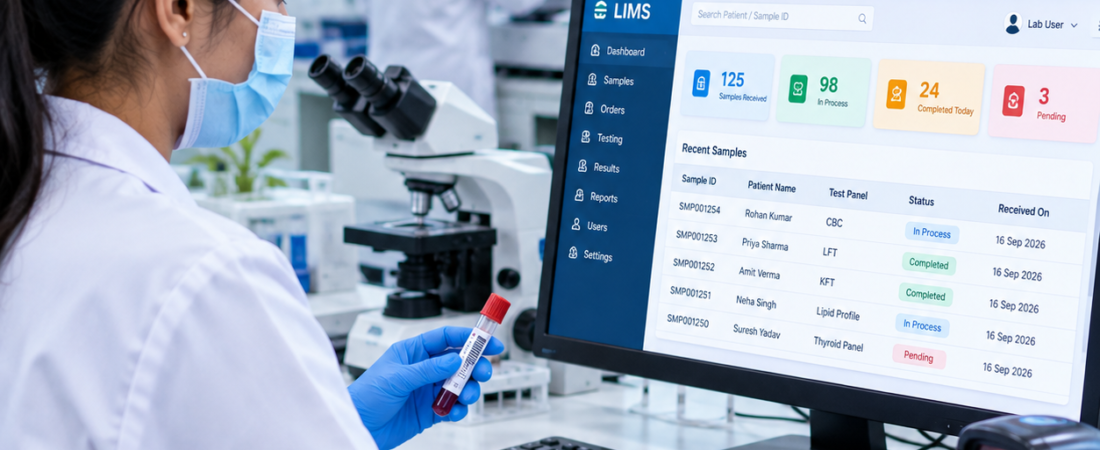
Clinical Laboratory LIMS: A Practical Guide for Modern Labs
Quick answer: A clinical laboratory LIMS should connect patient orders, sample collection, accessioning, testing, result verification, reporting, and day-to-day laboratory operations in one controlled workflow. It is most useful for pathology labs, diagnostic centres, hospital laboratories, and collection networks that need reliable sample traceability and connected reporting.
If you are evaluating clinical laboratory software, don’t judge it only by the number of features or how polished the dashboard looks. Use one real patient-to-report workflow and see how the system handles it from registration through report delivery.
A clinical laboratory LIMS should connect patient orders, sample collection, accessioning, testing, result verification, reporting, and day-to-day laboratory operations in one controlled workflow. For diagnostic and pathology laboratories, the software should also fit the way technicians, pathologists, front-desk teams, and administrators actually work.
There is one terminology problem to clear up first.
You will see LIS and LIMS used almost interchangeably in the clinical laboratory software market. Traditionally, LIS has been associated more closely with clinical and diagnostic laboratories, while LIMS has been associated with sample and laboratory management in research, industrial, and other laboratory settings. Modern products increasingly overlap these functions.
So if you are searching for a clinical laboratory LIMS, don’t get stuck on the acronym.
Judge the software by the workflow it supports.
What should a clinical laboratory LIMS manage?
Short answer: It should keep the patient, order, specimen, requested tests, results, approvals and report connected throughout the laboratory workflow.
- Patient registration and test ordering
- Sample collection, barcode identification and accessioning
- Sample status, movement and rejection handling
- Analyzer or instrument result integration where required
- Result entry, validation and approval
- Report generation and controlled delivery
- User permissions, audit history and operational reporting
Think about one patient order.
A doctor requests tests. The patient is registered. Samples are collected. Those samples are identified and accessioned. They move through the required testing workflow. Results arrive from instruments or are entered by authorized staff. A pathologist or other authorized professional reviews and validates the results. The report is generated and delivered.
That is the core journey.
A clinical laboratory system should therefore be judged by how well it manages this flow—not by how impressive its dashboard looks.
For laboratories evaluating a complete clinical laboratory LIMS, the connection between patient information, samples, tests, results, reports, and laboratory operations is more important than the number of features shown on a product page.
Why clinical labs need more than a sample database
For background on laboratory quality management and the role of information management, see the WHO Laboratory Quality Management System handbook.
Short answer: A sample database stores information; a clinical LIMS connects that information to decisions, workflow stages, users and the final report.
A spreadsheet can store patient names, test names, sample numbers, and results.
That does not make it a clinical laboratory system.
Clinical testing involves connected records and workflow decisions. The system has to know which patient and order a specimen belongs to, which tests are requested, where the specimen is in the process, which results are available, whether they have been reviewed, and what should happen next.
That connection is what makes laboratory software useful.
A proper clinical lab management system should connect the different stages instead of forcing staff to maintain separate records for every activity.
Start with order management, not the dashboard
Short answer: The software should create a clean connection between the patient, test order, specimen and eventual report before the sample reaches the analyzer.
The first test of a clinical LIMS should happen before the sample reaches the analyzer.
Can the system handle patient registration and test ordering without creating duplicate data entry?
The answer matters because mistakes made at registration can follow the sample through the entire workflow.
A good system keeps the patient, order, sample, test, and eventual report connected.
For a pathology or diagnostic laboratory, this creates a more organized workflow from the first patient interaction through final report delivery.
Explore PathXprt LIMS Software and review the related laboratory management system for diagnostic centres workflow. to understand how an integrated laboratory platform can support laboratory workflows.
Sample collection is where traceability starts
Short answer: Sample collection should create a clear link between the physical specimen and its digital patient/order record, with status and identification available to authorised staff.
Once the sample is collected, identification becomes the priority.
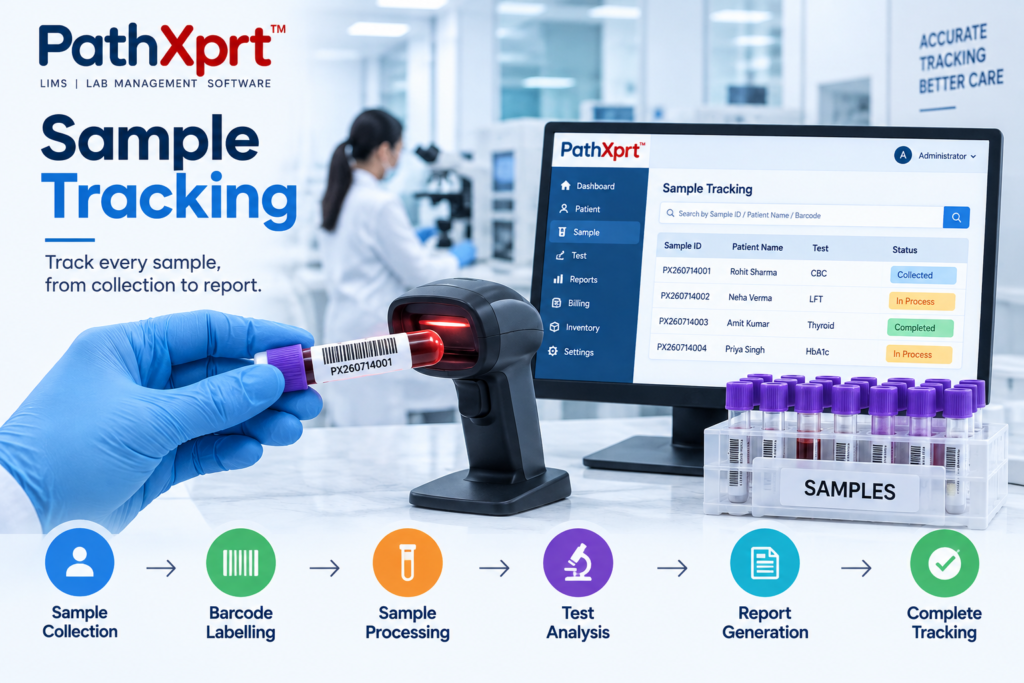
Barcode-based identification gives the laboratory a consistent way to associate a physical specimen with its digital record.
The practical test is simple.
Take one sample and scan it.
Can the technician immediately see the correct patient and requested tests?
Can the system record what happens next?
If the answer requires opening several unrelated screens or retyping information, the workflow deserves another look.
A well-connected laboratory information management system should keep sample information available throughout the testing process. For a deeper look at this workflow, see the laboratory sample tracking system guide.
Accessioning should control what happens to the sample
Accessioning is more than assigning a number.
It is the point where the laboratory receives and evaluates the specimen before it enters the relevant testing process.
A clinical laboratory LIMS should support identification, sample status, required tests, quality checks, and the next workflow step.
Sample acceptance and rejection are especially important.
Ask during a software demo:
“Show me what happens when a sample does not meet our acceptance criteria.”
That tells you much more than a generic statement saying the software supports sample management.
Analyzer integration is one of the biggest buying decisions
Short answer: If your laboratory uses analyzers, verify the exact instruments, interface method, result-transfer workflow and exception handling instead of accepting a generic “integration available” claim.
Manual result entry is one of the areas where laboratory software should be evaluated carefully.
Clinical laboratory platforms commonly provide integration with laboratory analyzers so that test data can move between instruments and the laboratory information system.
But don’t ask only:
“Do you support analyzer integration?”
Ask which analyzers are supported, how results are transferred, how failed transfers are handled, how mismatched results are identified, and who is allowed to correct or release a result.
Those questions get closer to the real workflow.
Result validation is not the same as result entry
Short answer: Entering a result and authorising it are different workflow steps. The system should make the required review and approval path clear for the laboratory.
A result appearing in the system does not necessarily mean it should immediately become a final report.
Clinical laboratory software may include validation, authorization, approval, alerts, and rules around abnormal or critical results.
The exact validation workflow should be configured around the laboratory’s requirements.
For a buyer, the key question is:
“Who is allowed to validate this result, and what happens before it reaches the patient or doctor?”
That answer should be clear.
Reporting needs to work for the people receiving the result
Short answer: A report should present approved results clearly and follow the laboratory’s controlled delivery process for patients, doctors, hospitals or other authorised recipients.
Laboratory reports are not just documents generated at the end of a process.
They are the output that reaches patients, physicians, hospitals, and other authorized users.
A clinical LIMS should therefore provide appropriate report formats and a controlled delivery workflow.
Different laboratories have different reporting requirements, so a demo should use one of your actual report formats.
Ask the vendor to reproduce it.
That is a better test than looking at a generic sample PDF.
Where quality control fits into the clinical workflow
Short answer: QC should be connected to the laboratory’s testing process so staff can identify issues, document actions and understand how QC events affect the workflow.
Quality control should not sit in a separate corner of the software.
It needs to connect with the laboratory’s testing workflow and the people responsible for reviewing results.
Your laboratory should define which QC functions are actually required before comparing products.
Don’t buy a “QC module” because the vendor has one.
Ask how it behaves when QC fails.
Security and audit trails deserve a real demonstration
Short answer: A clinical laboratory system should make permissions and audit history understandable enough for authorised staff to see who changed a record, what changed and when.
Clinical laboratory systems handle sensitive patient and testing information.
That makes user permissions, access control, audit history, and data protection part of the buying decision.
A useful demo question is:
“Show me who changed this result, what changed, and what record of that change remains.”
If the vendor cannot demonstrate the answer clearly, keep asking.
Billing and operations should connect with testing
A clinical laboratory does not operate only as a testing department.
There are appointments, payments, discounts, invoices, pending dues, outsourced tests, and operational reporting.
This connection matters because the same service record that starts with a test order may also have a financial transaction attached to it.
A disconnected billing process creates another reconciliation job for the staff.
For laboratories looking for integrated pathology laboratory software, billing and operational management should therefore be evaluated alongside sample and reporting workflows.
Multi-location support changes the workflow
Running one laboratory is different from managing several collection centres, branches, or partner laboratories.
The system needs to maintain a central view while still controlling access and workflow at the relevant locations.
If you operate multiple locations, don’t accept “multi-branch support” as enough.
Ask the vendor to demonstrate:
Branch A → sample collection → central laboratory → testing → verification → report delivery.
That single demonstration will expose many limitations that a feature list won’t.
What about LIS vs LIMS?
This is where buyers need to be practical.
A clinical diagnostic laboratory is patient-facing. It deals with orders, specimens, results, reports, doctors, patients, and sometimes billing and hospital systems.
A research or industrial laboratory may have a different centre of gravity: samples, experiments, batches, protocols, inventory, research workflows, and analytical data.
Some modern products cover both sides.
So don’t reject a product because its website calls itself an LIS rather than a LIMS—or choose one because it uses the word “LIMS.”
Ask whether it supports your clinical workflow.
That is the useful distinction.
Who is a clinical laboratory LIMS actually for?
Short answer: It is primarily relevant to pathology labs, diagnostic centres, hospital laboratories, collection networks and other organisations that need connected sample, testing and reporting workflows.
This type of system makes sense for laboratories that need to bring several operational functions together.
That includes diagnostic laboratories, pathology laboratories, hospital laboratories, collection networks, and organizations managing multiple laboratory workflows.
It is less compelling for a very small operation that only needs a simple record-keeping tool and has no requirement for integrated workflows, reporting, sample tracking, or multi-user operations.
More software is not automatically better software.
The system has to remove work.
What should you test before buying?
Key takeaway: Run a real patient-to-report workflow during the demo and include at least one exception. This is usually more informative than a feature presentation.
- Register a test patient and create the requested order.
- Collect and barcode the specimen.
- Accession the sample and verify its status.
- Send the case through the required testing or analyzer workflow.
- Review, validate and approve the result.
- Generate the report and demonstrate delivery.
- Reject or repeat one sample and show the audit trail.
Forget the feature presentation for a moment.
Give the vendor one real laboratory case and ask them to run it from beginning to end.
Start with patient registration.
Create the order.
Collect and barcode the specimen.
Accession it.
Process the requested test.
Bring in the result.
Show the validation step.
Generate the report.
Dispatch it.
Then deliberately break something.
Reject a sample. Repeat a test. Change a result according to the laboratory’s approved workflow. Transfer a sample to another location. Check the audit history.
If the vendor can demonstrate the entire journey without falling back to manual spreadsheets, you have learned something useful.
Where PathXprt fits
Key takeaway: PathXprt is positioned as a cloud-based LIMS for laboratory workflows. Its relevance should be judged against the laboratory’s actual patient, sample, testing, reporting and operational requirements.
PathXprt is positioned as a cloud-based LIMS for laboratories, with workflows covering order management, sample collection, accessioning, pathology, reporting, approvals, security, dispatch, finance, and analytics.
For clinical and diagnostic workflows, the platform focuses on connecting laboratory activities rather than treating sample tracking, reporting, and administration as isolated processes.
That connection is important for laboratories that want one central system for their day-to-day operations.
For a laboratory evaluating a clinical laboratory LIMS, the best approach is still a workflow-based demonstration.
Give the vendor one of your real sample journeys and ask them to reproduce it inside the system.
The right next step is a workflow demo
Bottom line: Choose the system that can reproduce your real laboratory workflow clearly, including normal cases and exceptions. A feature list cannot show that on its own.
Don’t choose a clinical laboratory LIMS from a feature table.
Take one real test journey from your laboratory and use it as the demo script.
Ask the vendor to show patient registration, sample collection, accessioning, barcode tracking, analyzer integration, result validation, reporting, dispatch, billing, and audit history where those functions apply to your operation.
Then test an exception.
That is the point where a software brochure ends and the actual LIMS begins.
If your laboratory is evaluating PathXprt, visit PathXprt LIMS and use your own laboratory workflow as the basis for the product discussion and demo.
Frequently Asked Questions
Quick FAQ summary: Clinical laboratory LIMS software is most useful when it connects patient orders, specimens, testing, validation and reporting into one traceable workflow. The exact features and integrations should be matched to the laboratory’s own processes.
What is a clinical laboratory LIMS?
A clinical laboratory LIMS is software designed to manage laboratory workflows such as patient orders, sample collection, accessioning, testing, result management, reporting, and related laboratory operations.
What is the difference between LIS and LIMS?
LIS traditionally refers to laboratory information systems used heavily in clinical and diagnostic environments, while LIMS has historically been associated with broader sample and laboratory management. Modern platforms can overlap significantly, so workflow capability matters more than the label.
Why is barcode tracking important in a clinical laboratory?
Barcode tracking links the physical sample with its digital record and helps staff identify and follow samples through the laboratory workflow.
Should a clinical LIMS integrate with laboratory analyzers?
For laboratories using automated analyzers, analyzer integration is an important capability to evaluate. The exact integration should be checked against the instruments used by the laboratory.
Is PathXprt suitable for clinical laboratories?
PathXprt is positioned as a LIMS platform for laboratory workflows, including diagnostic and pathology use cases. Laboratories should evaluate the platform through a demonstration based on their actual workflow.
Ready to evaluate your laboratory workflow?
Frequently Asked Questions About Clinical Laboratory LIMS
What is a clinical laboratory LIMS?
A clinical laboratory LIMS is software used to manage laboratory workflows such as patient registration, test orders, sample collection, accessioning, sample tracking, testing, result validation, reporting, and laboratory operations.
What is the difference between LIS and LIMS?
LIS traditionally refers to a Laboratory Information System used mainly in clinical and diagnostic settings, while LIMS traditionally focuses more on laboratory samples, workflows, and data management. Modern laboratory platforms can include capabilities associated with both systems, so buyers should compare actual workflow features rather than the product name alone.
What features should I look for in clinical LIMS software?
Important features include patient and test registration, barcode-based sample identification, accessioning, sample tracking, analyzer integration, result management, validation and approval, report generation, quality control, user permissions, audit trails, billing, notifications, analytics, and integration with other healthcare systems. The exact requirements depend on the laboratory’s workflow.
Can a clinical LIMS integrate with laboratory analyzers?
Yes. Analyzer integration is a common requirement for clinical laboratories. Depending on the software and instrument, integration can transfer orders, receive test results, and reduce manual result entry. Before purchasing, confirm whether the LIMS supports the specific analyzers used by your laboratory and what type of interface is available.
How does LIMS help with sample tracking?
A LIMS connects the physical sample with its digital record. Barcode identification and status tracking can help laboratory staff follow a specimen from collection and accessioning through testing, validation, reporting, and other workflow stages.
Is cloud-based LIMS suitable for a diagnostic laboratory?
A cloud-based LIMS can be suitable for diagnostic laboratories that want browser-based access and centralized laboratory data. Before choosing a cloud platform, evaluate user permissions, data security, backup procedures, connectivity requirements, integrations, support, and the vendor’s data-management practices. Cloud LIMS is commonly positioned for managing samples, testing, users, instruments, and reporting through a web-based environment.
How much does clinical laboratory LIMS software cost?
There is no single price for clinical LIMS software. Cost depends on factors such as the number of users, sample or accession volume, required modules, analyzer interfaces, integrations, implementation, training, support, and deployment model. Ask vendors for the complete cost rather than comparing only the initial subscription or licence price.
How long does it take to implement a LIMS in a laboratory?
Implementation time depends on the laboratory’s workflow, number of users, required integrations, data migration, reporting requirements, configuration, and staff training. A straightforward laboratory deployment can be different from a multi-location implementation with several analyzer interfaces and integrations. Define the implementation scope with the vendor before agreeing on a timeline.
Can LIMS generate laboratory reports automatically?
Many modern LIMS platforms support automated report generation after results pass the required validation and approval workflow. Report templates, authorization rules, digital delivery, and patient or doctor access should be checked during the software demonstration.
Does clinical LIMS support multiple laboratory branches?
Some clinical LIMS platforms support multiple branches or collection centres through centralized laboratory management. If your organization operates several locations, ask the vendor to demonstrate sample movement, branch-level access, centralized reporting, and user permissions across locations.
How does LIMS improve laboratory workflow?
LIMS connects laboratory activities in a single workflow instead of relying on separate registers, spreadsheets, and disconnected processes. It can organize patient orders, samples, testing, results, reports, users, and operational information so staff can work from the same digital record.
Is clinical LIMS suitable for pathology laboratories?
Yes. Clinical LIMS platforms are used for workflows relevant to diagnostic and pathology laboratories, including patient registration, sample collection, accessioning, testing, result management, reporting, and sample tracking. The right system should be evaluated against the laboratory’s actual pathology workflow and reporting requirements.
What should I ask a LIMS vendor before buying?
Ask the vendor to demonstrate your real laboratory workflow rather than showing only a feature list. Test patient registration, sample collection, barcode scanning, accessioning, analyzer integration, result validation, report generation, sample rejection, audit history, user permissions, and report delivery.
Looking for a clinical laboratory LIMS? Explore PathXprt LIMS and request a workflow-based demonstration based on your laboratory’s requirements.