
Pathology Lab Billing Software with GST: What to Check
Pathology lab billing software with GST is software that helps a diagnostic laboratory manage patient billing, test charges, discounts, payments, invoices and tax-related billing information in one workflow. For a pathology lab, the useful setup is not just a generic GST invoice screen; billing should stay connected with the patient and test record.
Quick answer: If you run a pathology lab, diagnostic centre or collection centre in India, choose billing software that matches your actual GST and accounting requirements while keeping test selection, pricing, receipts, payments and outstanding amounts together. Use your accountant or tax adviser to confirm the applicable GST treatment before configuring tax rates.
Who is this guide for? This article is for pathology lab owners, diagnostic-centre managers, reception teams and healthcare businesses comparing laboratory billing software in India. It is especially useful if you are replacing registers, spreadsheets or a generic billing application and want billing connected to the laboratory workflow.
What should pathology lab billing software actually handle?
A pathology lab bill is tied to a laboratory workflow. A patient is registered, tests are selected, prices are applied, discounts may be entered, payment is recorded and a receipt or invoice is produced. If those steps live in different places, staff have to re-enter the same information.
Good laboratory billing software keeps the commercial part of that workflow connected to the patient and test record.
- Patient and billing record creation
- Test-wise charges and package pricing
- Discount and adjustment handling
- GST/tax configuration where applicable
- Payment and outstanding tracking
- Receipt and invoice generation
- Daily and period-wise billing reports
- Export or accounting hand-off where required
Does a pathology lab need GST billing software?
Short answer: A lab needs billing software that matches its actual tax position and invoicing requirements. Do not choose software simply because it has a “GST enabled” label.
GST treatment depends on the nature of the supply and the circumstances. CBIC publishes official GST information and rate material, so your lab should use those sources together with advice from its accountant or tax professional before configuring tax rules in software.
If your laboratory is GST-registered or has taxable supplies alongside other activities, confirm the correct treatment first. Then configure the software around that decision rather than copying a rate from another business.
Useful official references include the CBIC GST rates information and GST Portal GSTR-1 guidance.
What should a GST invoice workflow look like?
The software should make the invoice information clear before the bill is finalized. Depending on the transaction and applicable GST rules, this can include supplier details, invoice number and date, recipient information where required, service description, taxable value, applicable tax details and total amount.
Official GST e-invoice guidance also identifies invoice data fields such as supplier GSTIN, invoice serial number, date, recipient information where applicable, HSN/SAC, description, taxable value, tax rate and tax amount. Exact requirements depend on the applicable rules and transaction.
That gives you a simple buying test: ask the vendor to create one real sample bill and show every field from test selection to final invoice.
Which billing features matter most for a pathology lab?
1. Test-wise billing
Your billing team should be able to select the required investigations without rebuilding the bill manually. Test-wise pricing also gives the lab a cleaner base for packages, discounts and billing reports.
2. Package and discount management
Diagnostic centres may sell combinations of tests. The software should show what is included in a package, apply the intended pricing rule and make the final amount easy for the cashier to review before payment.
3. Payment and outstanding tracking
A bill is not finished just because an invoice was printed. Your team also needs to know whether it was paid, partially paid or still outstanding. Look for clear payment records and a report that lets the manager follow unpaid amounts.
4. Receipts and invoice sharing
Patients may ask for a printed receipt or digital copy. A useful lab billing system should keep that process close to the billing record instead of forcing the receptionist into a separate application.
5. Billing reports
Managers need more than individual invoices. Look for daily collection reports, outstanding summaries, test-wise billing information, discount visibility and tax-related reports that match the lab’s accounting process.
Why is billing better when it is part of the LIMS workflow?
Imagine the receptionist registering a patient in one system, the technician working from another and the cashier typing the same test names again into billing software.
That is where avoidable duplication starts.
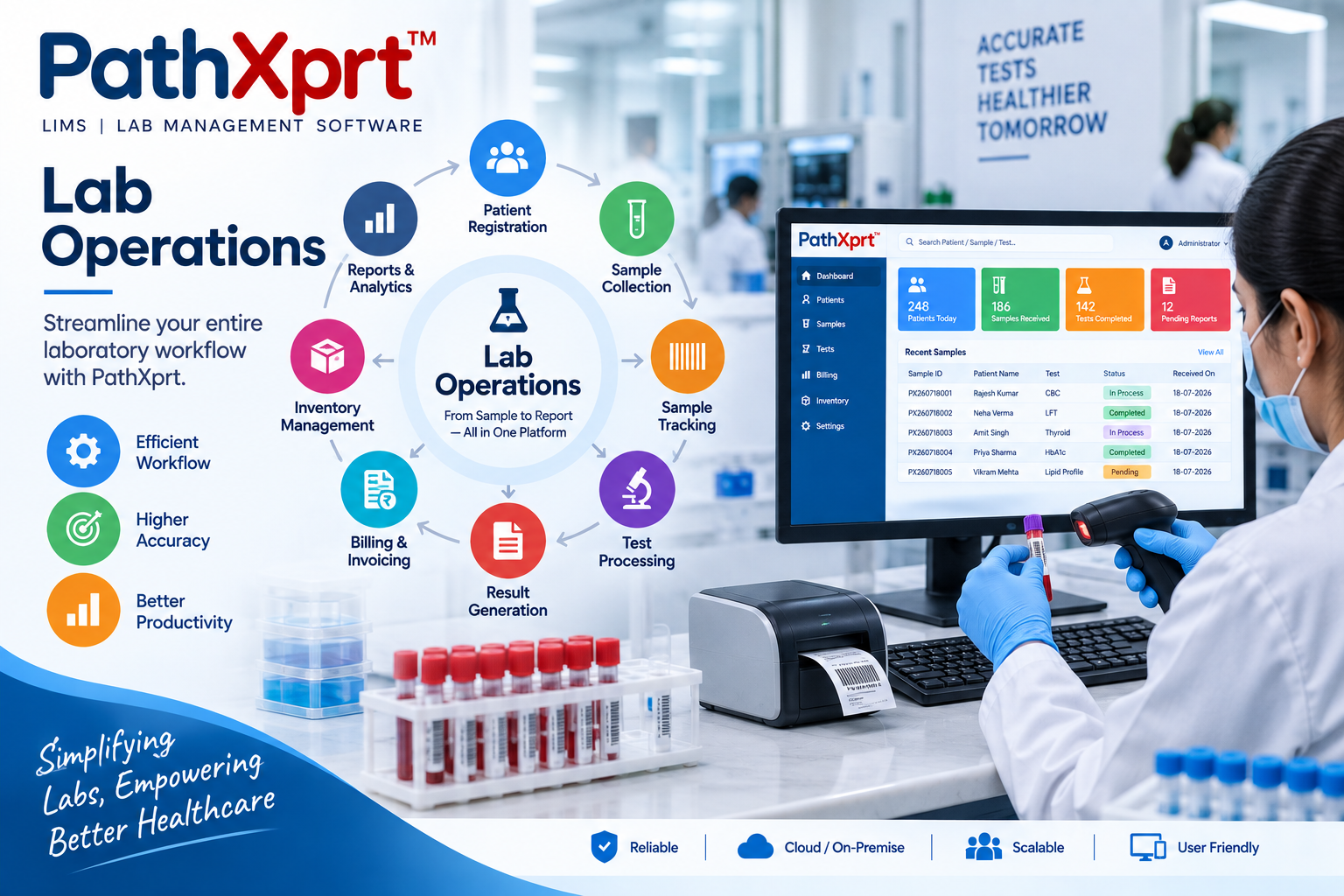
A laboratory management system can connect patient registration, sample handling, testing, reporting and billing in one workflow. PathXprt is designed around this connected laboratory workflow, including billing alongside core laboratory operations.
Read our Laboratory Information Management System guide for a broader view of how laboratory information can be organized.
What should you check before buying pathology lab billing software with GST?
Don’t buy from a screenshot. Use one real billing scenario and make the vendor run it live.
- Create a sample patient.
- Select two or more tests.
- Apply the lab’s normal pricing or package.
- Apply a real discount scenario.
- Show the tax configuration required by your accountant.
- Generate the invoice or receipt.
- Record the payment.
- Mark an invoice as outstanding or partially paid.
- Open the relevant billing report.
- Show how data is exported or handed to accounting when required.
This test is more useful than asking a salesperson to read a feature list because it shows whether the software fits your actual front-desk workflow.
PathXprt for connected laboratory billing
PathXprt is designed for laboratories that want billing to sit inside the wider lab workflow instead of operating as an isolated invoice tool. The platform brings together activities such as patient registration, sample management, testing, reporting and billing.
For GST-specific requirements, demonstrate your actual invoice and tax workflow during the product discussion. Your team can then confirm how the required configuration fits the lab before implementation.
You can also read our pathology lab management software guide to see how billing fits into wider laboratory operations.
What should you ask a vendor before buying?
Can the software apply the tax treatment defined for our lab?
Ask the vendor to show the configuration, not just say “GST supported.”
Can we manage test packages and discounts?
This matters if your lab sells health packages or uses different commercial rates.
Can we track paid, unpaid and partially paid bills?
The answer should be visible in both the individual transaction and reporting workflow.
Can the billing record stay connected to the patient and test order?
This is a key reason to prefer lab-focused software over a generic invoice application.
Can we export the information our accountant needs?
A billing system should fit the financial workflow rather than create another isolated data set.
Is pathology lab billing software with GST right for every lab?
No. If your laboratory has very simple billing and no need for connected patient, test and reporting workflows, a full LIMS may be more than you need.
If your front desk is repeatedly entering the same test information, your manager needs better billing visibility, or you want billing connected with the laboratory workflow, dedicated laboratory software deserves a proper evaluation.
FAQ: Pathology lab billing software with GST
What is pathology lab billing software?
It is software used to manage patient billing, test charges, invoices, receipts, payments, discounts and billing reports for pathology or diagnostic services.
Does every pathology lab need to charge GST?
Do not assume that every pathology service has the same GST treatment. Confirm your lab’s specific tax position with an accountant or tax professional and configure the software accordingly.
What is the biggest advantage of lab-specific billing software?
The main advantage is keeping billing connected to the patient and test workflow instead of maintaining separate records in a generic invoicing tool.
What should I ask for in a GST software demo?
Use a real sample bill and ask the vendor to demonstrate patient registration, test selection, pricing, discount, applicable tax configuration, invoice generation, payment and reporting.
Can PathXprt handle laboratory billing?
PathXprt is positioned as laboratory management software with billing included in the wider laboratory workflow. Ask for a demo using your lab’s actual billing process before making a purchase decision.
Final recommendation
Choose pathology lab billing software based on the workflow your laboratory actually follows. GST support is one part of the decision. Test pricing, packages, discounts, payments, outstanding amounts, receipts, reports and the connection between billing and laboratory records matter just as much.
Before you buy, take one real billing case from your lab and ask the vendor to demonstrate it from patient registration to final payment report. If the workflow is clear, the data stays connected and the tax configuration matches your accountant’s requirements, you have a much stronger basis for a decision.
Book Your Free PathXprt Demo
See how PathXprt connects laboratory operations, including billing, in one workflow. Bring your actual billing questions and ask the team to demonstrate them.