
Laboratory Information Management System: A Practical Guide for Pathology Labs
Quick answer: A Laboratory Information Management System (LIMS) helps pathology laboratories connect patient registration, sample collection, barcode tracking, testing, result management, reporting and billing in one digital workflow. It is especially useful for pathology labs, diagnostic centres and growing laboratory teams that want to reduce manual coordination and keep sample and report information easier to follow.
Who is this guide for? This guide is written for pathology lab owners, lab managers, technicians and diagnostic-centre teams evaluating LIMS. If you are replacing registers or spreadsheets, opening a new lab, adding branches, or trying to make sample-to-report workflows more consistent, use the checklist below to judge whether a system fits your real operation.
Patient details, test bookings, sample collection, barcodes, test results, reports and billing — everything has to stay connected. Even a small mistake in one step can create extra work for the team.
This is where a Laboratory Information Management System (LIMS) can help.
A LIMS brings important laboratory activities into one digital system so your team can manage patient registration, samples, tests, reports and billing in a more organized way.
But there is something many articles don’t explain clearly: not every LIMS is designed for the same type of laboratory.
If you run a pathology lab, you should look beyond the word “LIMS” and check whether the software actually fits your day-to-day workflow.
What is a Laboratory Information Management System?
Short answer: A Laboratory Information Management System is software that organizes laboratory information and workflows, helping teams connect patients, samples, tests, results, reports and related billing activities in one system.
Simply put, a Laboratory Information Management System is software used to manage laboratory information and workflows.
Think about what happens when a patient visits your pathology lab.
First, the patient’s details are registered. Then the required tests are selected and the sample is collected. The sample needs to be identified and tracked. After testing, the results are entered and the report is prepared.
Billing is another part of the same process.
Instead of managing these activities separately, a laboratory management system connects them digitally.
So the workflow becomes:
Patient Registration → Sample → Barcode → Test → Result → Report → Billing
That is the real value of laboratory software.
It isn’t just about having a dashboard or replacing a register with a computer.
Why do pathology labs need LIMS?
Short answer: Pathology labs handle connected patient, sample, test and reporting information throughout the day. LIMS can bring those activities into a shared digital workflow, which is particularly useful when sample volume, staff or reporting workload grows.
Ask a lab technician how much information they handle during a busy day.
There are patient records to enter, samples to identify, tests to process and reports to prepare. If much of this work is being handled manually, staff have to spend time searching through registers, files or different systems.
And when the workload increases, keeping everything organized becomes harder.
A LIMS gives the team a common digital workflow.
For example, once a patient is registered and tests are selected, the sample can be connected to that patient’s record. A barcode can then be used to identify the sample during the relevant laboratory process.
The result can eventually be connected to the patient’s report.
One patient. One connected workflow.
That’s what a pathology lab should look for when evaluating laboratory software.
What can LIMS do for a pathology laboratory?
Short answer: A pathology-focused LIMS should connect the main operational steps rather than leaving staff to maintain separate records for each stage.
| Laboratory stage | What the software should help with |
|---|---|
| Patient registration | Create and maintain the patient’s laboratory record. |
| Sample collection | Connect the sample with the correct patient and requested tests. |
| Barcode tracking | Identify samples and follow their status through the workflow. |
| Testing & results | Record test information and results in the relevant workflow. |
| Reporting | Prepare reports from the connected patient and test information. |
| Billing | Keep test charges and laboratory transactions connected with the workflow. |
The features depend on the software, but there are several areas that matter in a pathology lab.
1. Patient Registration
Everything starts with the patient.
The registration process records the patient’s information and creates the starting point for the laboratory workflow.
Instead of writing the same information in different places, the details can be maintained digitally and connected with the tests and samples.
For a busy pathology lab, that simple connection can make the workflow easier to manage.
PathXprt includes Patient Registration.
PathXprt laboratory management platform
2. Sample Tracking
Now comes the part that is particularly important for a laboratory: the sample.
A sample shouldn’t become a mystery after it leaves the collection desk.
Sample tracking helps the laboratory associate a sample with the appropriate patient and follow it through the relevant stages of the workflow.
This becomes especially useful when the lab is handling a large number of samples.
Instead of searching through multiple records, staff can use the system to check the sample information and its status, depending on the workflow configured in the software.
PathXprt provides Sample Tracking.
3. Barcode Management
Manual identification becomes difficult when sample volume increases.
Barcode-based workflows provide a way to connect a physical sample with its digital record.
The basic idea is simple:
Create → Scan → Identify → Track
A technician doesn’t need to rely only on manually searching for a patient’s information.
Barcode functionality is therefore an important feature to check when you’re comparing pathology laboratory software.
PathXprt supports Barcode-based sample management.
barcoding system for pathology lab
4. Test Management
A pathology lab may handle many different tests every day.
Test management helps staff keep those requests organized and connected with the relevant patient and sample information.
The important thing isn’t simply whether a software product has a “Test Management” button.
Ask a more practical question:
Can my staff manage the test workflow without repeatedly entering the same information?
That’s what you should see during a demo.
PathXprt includes Test Management as part of its laboratory workflow.
5. Report Generation
At the end of the testing process comes the report.
The report needs to be connected to the correct patient and tests. A digital laboratory system brings this information together so the report can be generated as part of the workflow.
For a pathology lab, reporting shouldn’t feel like a completely separate activity.
The information should flow naturally from the earlier steps.
Patient → Sample → Test → Result → Report
PathXprt includes Report Generation.
lab sample management software
6. Billing
Billing is another everyday task in a pathology laboratory.
Tests are selected, charges are calculated and the patient’s transaction needs to be recorded.
When billing is connected with the laboratory workflow, staff don’t have to treat it as a completely separate activity.
PathXprt includes Billing Management so the laboratory can manage this part of its workflow within the same system.
7. Dashboard
A dashboard gives the lab team a central place to see relevant information.
Instead of opening different screens or checking different registers, staff can use the dashboard to get an overview of laboratory activity.
The exact information shown depends on the software and configuration.
For a lab owner, the useful question is simple:
Can I quickly understand what is happening in my lab?
That’s what a good dashboard should help with.
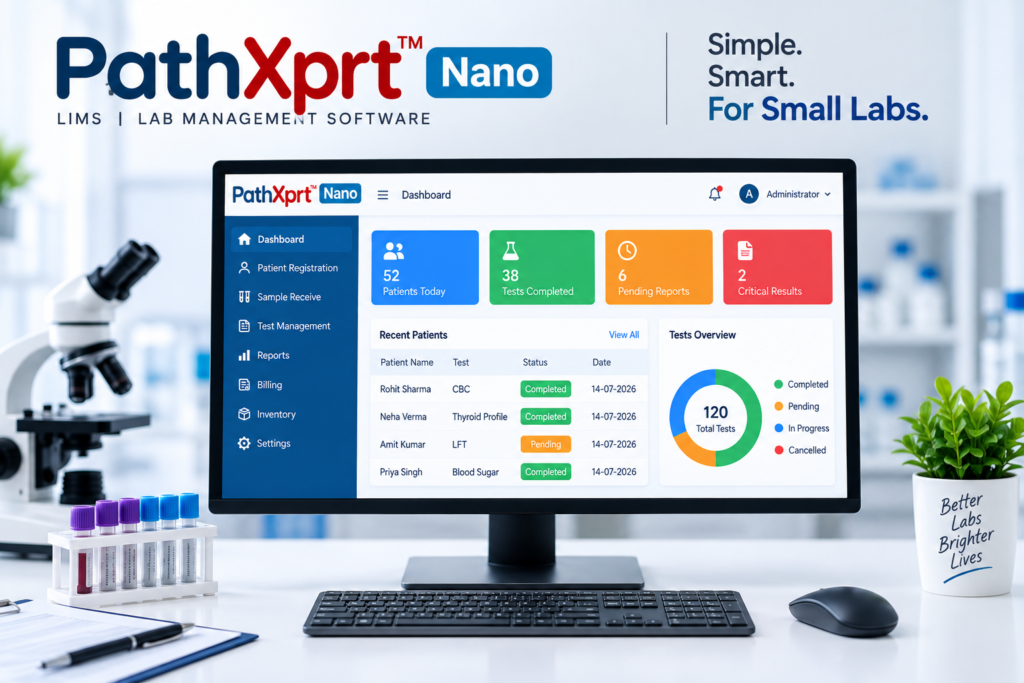
PathXprt includes a Laboratory Dashboard.
How does LIMS work in a pathology lab?
Let’s make this practical.
Suppose a patient walks into your laboratory for several tests.
The staff first registers the patient.
The required tests are selected and the sample is collected. The sample can then be identified using a barcode and associated with the patient’s record.
The sample moves through the laboratory workflow.
Once the testing is completed, the relevant results are recorded and the report is generated.
Billing is handled as part of the same overall process.
So instead of having disconnected steps, the workflow looks like this:
Patient Registration
↓
Test Selection
↓
Sample Collection
↓
Barcode
↓
Sample Tracking
↓
Testing
↓
Report Generation
↓
Billing
That’s the kind of workflow you should ask a LIMS provider to demonstrate.
LIMS vs LIS: What’s the difference?
This is where things get confusing.
You will see both LIMS and LIS when researching laboratory software.
Traditionally, an LIS (Laboratory Information System) is associated more closely with clinical and diagnostic laboratories, while LIMS is commonly used for broader laboratory sample and workflow management.
However, software companies use these terms differently.
Some pathology laboratory software products are marketed as LIMS even though they provide features such as patient registration, sample tracking, barcode management, reports and billing.
So if you’re running a pathology lab, don’t choose software based only on whether it says LIMS or LIS.
Look at what it actually does.
Ask the vendor to show you your complete workflow.
What should you ask before buying LIMS for your pathology lab?
Don’t make the decision just by looking at a list of features.
Ask for a live demo.
Give the vendor a simple scenario:
“A new patient has just arrived. Show me what happens next.”
Then watch how the software handles:
- Patient registration
- Test selection
- Sample collection
- Barcode
- Sample tracking
- Test management
- Report generation
- Billing
- Dashboard
Also ask questions about the things that are specific to your laboratory.
If your lab uses particular analyzers, has multiple branches or requires integration with another system, ask the vendor to demonstrate that exact workflow.
A good demo should look like your lab — not just the vendor’s presentation.
Why choose PathXprt for your pathology lab?
PathXprt is designed to help pathology laboratories manage their everyday laboratory workflow digitally.
The system brings key activities into one place:
Patient Registration
Sample Tracking
Barcode
Test Management
Report Generation
Billing
Dashboard
The idea is straightforward.
Your team should be able to move from patient registration to sample tracking, testing and reporting without managing every step through separate records.
PathXprt LIMS features and laboratory workflow
Is PathXprt right for your pathology lab?
The easiest way to find out is to see it in action.
Every laboratory has its own way of working. That’s why a feature list alone isn’t enough.
During the demo, show the vendor how your lab currently handles a patient, sample and report.
Then see how PathXprt fits that workflow.
If you’re currently managing a lot of work manually, this is also a good time to identify where your team spends the most effort.
Maybe it’s registration.
Maybe it’s finding samples.
Maybe it’s report preparation.
Or perhaps you’re switching between different systems for billing and laboratory operations.
Those are the areas worth discussing during the demo.
Get a Free Demo of PathXprt LIMS
Looking for a Laboratory Information Management System for your pathology lab?
See how PathXprt handles the workflow before making your decision.
You can explore:
Patient Registration → Sample Tracking → Barcode → Test Management → Report Generation → Billing → Dashboard
Book Your Free Demo
📧 info@pathxprt.in
📞 +91 8882117475
PathXprt — Simplifying Laboratory Management
Frequently Asked Questions
What is a Laboratory Information Management System?
A Laboratory Information Management System (LIMS) is software that helps laboratories manage samples, laboratory workflows, results and related information digitally.
Is LIMS suitable for pathology labs?
It can be, provided the software supports the actual requirements of the pathology laboratory. Look for functions such as patient registration, sample tracking, barcode management, test management, reporting and billing.
What is sample tracking in LIMS?
Sample tracking connects a laboratory sample with its digital record and helps staff follow the sample through the relevant laboratory workflow.
Why are barcodes useful in pathology labs?
Barcodes provide a machine-readable way to identify samples and connect them with the appropriate digital record.
What is the difference between LIMS and LIS?
LIS is commonly associated with clinical and diagnostic laboratory workflows, while LIMS has traditionally been associated with broader laboratory sample and workflow management. In the software market, however, the terms overlap.
How can I choose the right LIMS?
Don’t compare software only by its feature list. Ask for a live demo and have the vendor demonstrate your actual workflow from patient registration through sample tracking, testing, reporting and billing.
Ready to Digitize Your Pathology Laboratory?
A laboratory information system should do more than store data.
It should help your team move through the laboratory workflow with less manual coordination — from patient registration and sample tracking to testing, reporting and billing.
If you’re evaluating software for your pathology laboratory, don’t choose based on the acronym or a feature-count comparison.
See the workflow. Test the software. Ask questions about your lab.
Book Your Free PathXprt LIMS Demo
Patient Registration | Sample Tracking | Barcode | Test Management | Report Generation | Billing | Dashboard
📧 info@pathxprt.in
📞 +91 8882117475
PathXprt — Simplifying Laboratory Management