
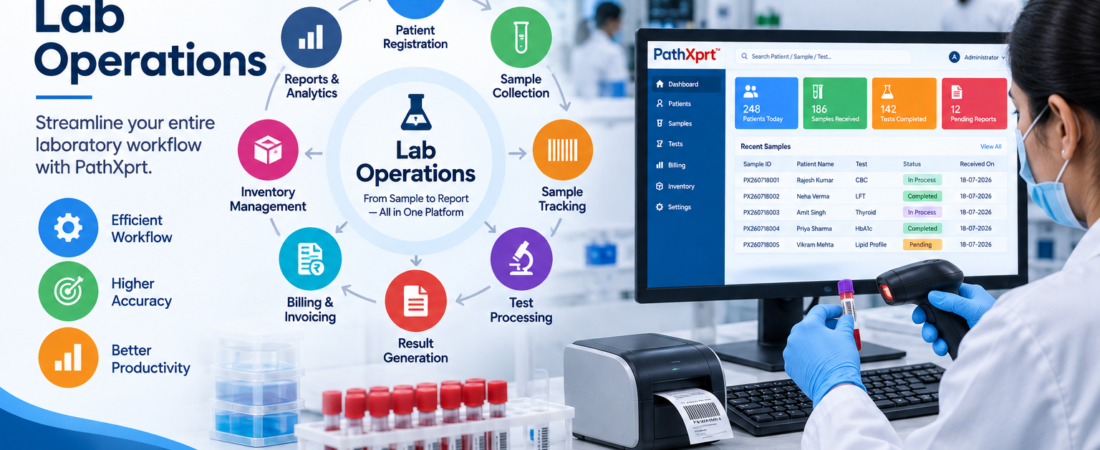
Lab Sample Tracking System: Complete Guide for Pathology Labs
Quick answer: A lab sample tracking system helps pathology and diagnostic teams see what a sample is, where it is, what stage it has reached, and what happened to it from collection through reporting. The useful part is not simply barcode scanning; it is having one connected history that staff can actually use.
This guide is for pathology labs, diagnostic centres, hospital laboratories and multi-location labs that are evaluating sample-tracking or LIMS software. The easiest way to judge a system is to take one real sample and follow it through your own workflow, including transfers and exceptions.
A lab sample tracking system should tell your team what a sample is, where it is, what stage it has reached, and what happened to it throughout its laboratory journey.
For a diagnostic or pathology lab, that means connecting sample collection, accessioning, testing, storage, reporting, and related records instead of relying on disconnected registers or spreadsheets.
The important part is not simply putting a barcode on a tube.
The real value is being able to follow the sample after that barcode is created.
For laboratories considering a LIMS, this distinction matters. A system that only identifies samples is not the same as a system that gives your team visibility into the sample workflow.
Why sample tracking becomes difficult as a lab grows
Short answer: As sample volume, departments, collection points and branches increase, it becomes harder to know a sample’s current status and history from registers or spreadsheets alone.
A small laboratory can sometimes manage sample information with manual registers, spreadsheets, printed labels, and conversations between technicians.
The problem appears when more samples, tests, departments, collection points, or branches are involved.
Someone wants to know:
Has this sample been received?
Another person needs to know whether it has been processed.
The lab manager wants to know why a report is still pending.
And if a sample has moved between locations or departments, somebody needs to establish where it went.
That is where a digital sample tracking workflow becomes useful.
A good system creates a connected record rather than forcing staff to reconstruct the sample’s history from different places.
LIMS software for pathology labs
What does a lab sample tracking system actually do?
Short answer: It creates a digital record for each sample and connects its identity, test, status, movement and history as it passes through the laboratory workflow.
At its simplest, sample tracking creates a digital history around each laboratory sample.
The record can connect the sample with its source, test, workflow, status, processing activity, and report. Depending on the software, tracking can continue through accessioning, testing, storage, outsourcing, reporting, and other stages.
Modern sample management products commonly include barcode identification, workflow tracking, chain-of-custody records, sample history, storage information, and status visibility.
For a pathology laboratory, the workflow might look like:
Patient/Test Order → Sample Collection → Accessioning → Sample Processing → Testing → Result/Report → Approval → Dispatch
The exact workflow should match the laboratory’s own SOPs and testing process.
That point is easy to overlook. Software should fit the laboratory workflow; the laboratory should not have to create unnecessary work simply because the software was designed around a generic process.
The sample should have one identity throughout the workflow
Short answer: A consistent sample ID, often supported by a barcode, helps staff connect the physical specimen with the correct digital record at each stage.
A tracking system becomes much more useful when a sample has a consistent identifier.
Barcode-based systems are commonly used for this purpose. PathXprt, for example, describes barcode printing and tagging, direct barcode scanning, sample segmentation, outsourcing, quality checks, and sample archiving as part of its accessioning workflow.
That means a technician can work with the sample’s digital identity instead of repeatedly entering the same information.
This also creates an important connection between the physical sample and its digital record.
If a sample is scanned during accessioning, processed, transferred, or received at another point in the workflow, those activities can remain connected to the same sample record.
Tracking is more than knowing whether a sample exists
Short answer: Inventory tells you what you have; tracking tells you what happened to a specific sample, where it is now, and how it reached its current stage.
This is where many explanations of sample management become too shallow.
Inventory answers:
“What samples do we have?”
Tracking asks:
“What happened to this sample?”
Those are different questions. A tracking system is useful because the history matters: status changes, processing activities, locations, users, and related events provide context around the sample. LabKey, for example, describes sample tracking in terms of chain of custody, sample lineage, events, sources, and aliquots rather than simple inventory counting.
For a pathology lab, that history should be easy to retrieve.
If a sample is pending, the system should help the team identify its current stage instead of forcing someone to call another department.
What should you check during a software demo?
Short answer: Ask the vendor to follow one real sample from collection to report. Test scanning, status changes, transfers, exceptions and history instead of watching only dashboard features.
- Register the patient and test order.
- Create or scan the sample ID.
- Move the sample through accessioning and testing.
- Transfer it to another department or location.
- Record a rejection or other exception.
- Find the complete history and linked report.
Don’t spend the entire demo watching a vendor click through dashboards.
Give the vendor one sample and ask them to follow it.
Start with registration or collection.
Then ask:
What happens when this sample reaches accessioning?
Show the barcode.
Then ask how the sample is assigned to the required test or workflow.
Next, move it to processing.
Change its status.
Transfer it if your laboratory sends samples to another department, branch, or external laboratory.
Then find it again.
Finally, show how the related result and report are connected.
This simple exercise tells you much more than a long feature presentation.
PathXprt describes its sample workflow around collection, accessioning, sample tracking, batch and plate management, workflow integration, barcode management, sample segmentation, outsourcing, quality checks, archiving, and storage.
The question is whether those capabilities match your laboratory’s actual process.
Which features matter most for pathology laboratories?
Short answer: Focus on features that make sample identity, status, movement and history easy to see: barcode scanning, accessioning, real-time status, traceability, workflow management, transfers and controlled exception handling.
| Area | What to verify |
|---|---|
| Identification | Barcode creation, printing and scanning |
| Accessioning | Patient, sample and test linkage |
| Tracking | Current status, location and history |
| Transfers | Department, branch and outsourced sample movement |
| Exceptions | Rejected, delayed, missing or corrected samples |
| Reporting | Connection between sample, result and final report |
Barcode and sample identification
Unique identifiers reduce dependence on manually typing sample information at every stage.
Look for barcode creation, printing, scanning, and a clear connection between the barcode and the relevant patient/test record.
PathXprt states that its accessioning workflow supports unique IDs through barcode printing and tagging and direct barcode scanning.
Accessioning
Accessioning is where the laboratory formally receives and processes the sample record.
Your system should make it easy to identify the sample, associate the required tests, perform applicable checks, and move it into the correct workflow.
PathXprt includes sample quality checks and sample segmentation/outsourcing within its accessioning functionality.
Real-time status
A useful dashboard should answer a basic operational question quickly:
Where is the sample now?
Different laboratories will have different status names, so configurable workflows and statuses are worth testing during the demo.
Some LIMS products specifically provide sample status views covering stages such as testing, hold, quarantine, release, or completion.
Sample history and traceability
Ask whether the system keeps a history of changes rather than showing only the current status.
This matters when someone needs to understand what happened earlier.
A sample’s current location tells you where it is. Its history tells you how it got there.
Batch and workflow management
Labs processing multiple samples together need more than individual sample records.
PathXprt states that its accession module supports batch and plate management and links samples with protocols, tests, or workflows.
This is particularly relevant when your laboratory’s workflow involves grouped processing.
Outsourcing and multiple locations
If your lab sends samples to an external laboratory or operates across branches, test the transfer workflow specifically.
CrelioHealth, for example, describes cross-location transfers and outsourced sample tracking as part of its specimen-management functionality.
Don’t accept “multi-location support” as a checkbox. Ask the vendor to demonstrate an actual transfer.
Sample tracking should connect with the rest of the LIMS
Key takeaway: Sample tracking is most useful when it is connected to registration, testing, reporting, inventory and other laboratory workflows instead of becoming another isolated system.
A standalone tracking tool can solve one problem while creating another.
Your laboratory may also need patient registration, billing, reporting, inventory, instrument integration, communication, and analytics.
That is why sample tracking is frequently delivered as part of a broader LIMS.
PathXprt describes its platform as covering order management, sample collection, accessioning, reporting, approval, finance, inventory, analytics, and report dispatch. It also states that its platform supports laboratory equipment interfacing.
The practical benefit is the connection between these functions.
A sample should not become an isolated record that staff have to reconcile with another application later.
clinical laboratory LIMS software
What about compliance and audit requirements?
Short answer: Tracking software can support identification and traceability records, but using a LIMS does not by itself make a laboratory compliant with a standard or accreditation requirement.
This needs careful handling.
A software vendor should not simply say “compliant” and leave it there.
Ask which specific standards your laboratory needs to address and which software functions support those requirements.
For example, ISO/IEC 17025 includes requirements around identification, handling, protection, storage, retention, and disposal of test items. A sample tracking system can support these processes through identification and traceability records, but software alone does not make a laboratory compliant.
PathXprt states that its platform supports traceability and references NABL, HIPAA, and ISO in its data-security and compliance section.
Your own compliance requirements should therefore be confirmed with the vendor and, where appropriate, your quality team.
Who should use a lab sample tracking system?
Short answer: It is especially useful for pathology labs, diagnostic centres, hospital laboratories and multi-location operations where sample volume or workflow complexity makes manual tracking difficult.
It makes sense for laboratories where sample volume, multiple workflow stages, multiple users, or multiple locations make manual tracking difficult.
It can be particularly useful for:
- Diagnostic and pathology laboratories
- Hospital laboratories
- Multi-location diagnostic centres
- Laboratories handling outsourced tests
- Laboratories that need barcode-based accessioning
- Teams that need a central view of sample and report workflows
But a large LIMS is not automatically the right answer for every laboratory.
A small research team that only needs a basic sample register might need a much narrower tool. One current sample-tracking product explicitly separates simple sample tracking from a complete LIMS and positions its product for smaller research labs.
The right question is not “How many features does this software have?”
It is:
“Does it solve the workflow problem we actually have?”
What should you ask before buying?
Short answer: Ask the vendor to demonstrate your actual sample journey, including barcode scanning, accessioning, transfer, rejection, history and final reporting.
Before signing up, ask the vendor to demonstrate these situations using your workflow:
- Register a new sample.
- Generate or scan its identifier.
- Move it through accessioning.
- Assign tests or workflow steps.
- Change its status.
- Transfer it between departments or locations.
- Handle a rejected or problematic sample.
- Locate the complete sample history.
- Connect the sample with the final report.
- Show what happens when something goes wrong.
That last point is important.
Don’t only test the happy path.
Ask what happens when a barcode is wrong, a sample is rejected, a test is delayed, a sample is outsourced, or a record needs correction.
A good demo should answer those questions without requiring a separate spreadsheet beside the LIMS.
Where PathXprt fits
Key takeaway: PathXprt positions sample tracking as part of a wider LIMS workflow, so labs can evaluate sample movement alongside collection, accessioning, reporting and related operations.
PathXprt is a cloud-based LIMS designed for diagnostic labs, hospital labs, clinics, and individual laboratories. Its current platform describes workflows covering sample collection, accessioning, barcode management, sample tracking, reporting, approvals, finance, and multi-location operations.
For sample tracking specifically, PathXprt lists full sample traceability, monitoring of sample data changes, batch and plate management, workflow integration, barcode printing and tagging, direct barcode scanning, quality checks, sample segmentation, outsourcing, archiving, and storage.
That makes the platform relevant when sample tracking is part of a larger pathology-lab workflow rather than a standalone requirement.
Still, the best way to judge the fit is a workflow-based demo.
Give the vendor one of your real sample journeys and ask them to reproduce it inside the system.
The practical next step
Bottom line: The right lab sample tracking system should make it easier to answer three everyday questions: Where is the sample? What stage is it in? What happened to it?
Don’t buy a lab sample tracking system because the feature page is long.
Take one real sample workflow from your laboratory and map it from collection to report. Then ask each shortlisted vendor to demonstrate that exact journey, including barcode scanning, status changes, transfers, exceptions, and history.
If the system makes that workflow easier to see and control without creating extra manual work, you have something worth evaluating further.
If you still need a spreadsheet to understand where the sample is, the tracking system has not solved the real problem.
Lab Sample Tracking System: FAQs
What is a lab sample tracking system?
It is software that records a sample’s identity and follows its status, movement and history through the laboratory workflow.
Why is sample tracking important in pathology labs?
It gives staff a clearer view of where samples are and what has happened to them, especially when many departments, users or locations are involved.
Is barcode scanning enough for sample tracking?
No. Barcode scanning identifies the specimen, but useful tracking also needs status, location, workflow and history information connected to that specimen.
Can a LIMS track samples sent to another lab?
It can, when the LIMS supports outsourcing or transfer workflows. During a demo, ask the vendor to show an actual external-lab transfer rather than only confirming that the feature exists.
What should I test before buying sample tracking software?
Test one real sample from collection to report, including scanning, accessioning, status changes, transfers, rejected samples and retrieval of the historical record.
For laboratories evaluating an integrated LIMS with sample collection, accessioning, barcode management, tracking, reporting, and multi-location capabilities, Book a PathXprt LIMS Demo is a practical next step.