
WhatsApp Report Delivery Software for Lab
If you are comparing WhatsApp report delivery software for lab, the most important thing is not the WhatsApp button itself. The software should connect the approved report to the correct patient, follow your lab’s release process, show delivery status and support appropriate consent and access controls.
Quick answer: The right WhatsApp report delivery solution should fit into the complete laboratory workflow: patient registration → sample tracking → result entry → pathologist approval → report generation → controlled WhatsApp delivery. For a diagnostic centre or pathology lab, test this entire journey in a live demo instead of judging the product by a messaging feature alone.
For a pathology lab, the real question is not “Can this software send reports on WhatsApp?” Almost every modern lab platform claims that.
The better question is: What happens between report approval and the patient actually receiving the correct report?
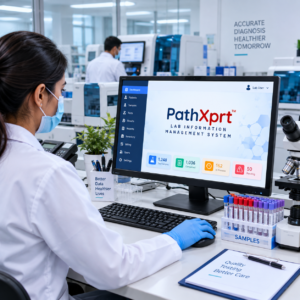
What is WhatsApp report delivery software for a pathology lab?
Short answer: It connects a lab’s approved reporting workflow with WhatsApp so the correct report can be delivered to the registered recipient without making staff manually attach every PDF.
WhatsApp report delivery software connects a laboratory reporting system with WhatsApp so that an approved report can be delivered digitally to a patient’s registered mobile number.
A typical workflow looks like this:
Patient registration → sample collection → testing → result entry → pathologist approval → PDF report generation → WhatsApp delivery
The important part is the approval step.
A report should not be sent simply because a technician has entered the result. The software workflow should make it clear when the report is ready for release.
Several current pathology software platforms position WhatsApp delivery as part of this complete workflow rather than as a standalone messaging feature.
pathology lab management software can connect patient registration, samples, reports and billing in one workflow.
Why are pathology labs moving report delivery to WhatsApp?
Short answer: WhatsApp can make report delivery more convenient by moving a repetitive manual step into the laboratory’s existing digital workflow.
Think about what happens at a busy reception counter.
A patient calls:
“Report ready hua?”
The receptionist checks the system.
Then someone downloads the report, finds the patient’s WhatsApp number, attaches the PDF and sends it.
Multiply that process across dozens or hundreds of reports.
The problem isn’t the five seconds required to attach a PDF. The problem is the repeated manual handling around every report.
WhatsApp delivery can move that step into the laboratory workflow. Once the report is released, the system can trigger delivery to the registered recipient.
This is why competing lab platforms increasingly combine digital reporting with WhatsApp delivery rather than treating the two as separate systems.
What should happen before a report is sent?
Short answer: The report should move through a clear release process so that only the appropriate, approved version is sent to the patient or other authorized recipient.
This is where I would be careful when evaluating software.
A simple “Send on WhatsApp” button isn’t enough.
The software should clearly distinguish between:
Result entered → Report prepared → Report approved → Report released → Report delivered
That distinction matters in a pathology workflow.
The report that reaches the patient should be the released version, not an unfinished draft sitting in the technician’s workstation.
Some current lab platforms explicitly build a pathologist approval/sign-off stage into their reporting workflow before WhatsApp delivery.
If you’re comparing vendors, ask them to demonstrate this workflow during the product demo.
Don’t accept a screenshot.
Ask them to create a test patient, enter a result, approve the report and show exactly what happens next.
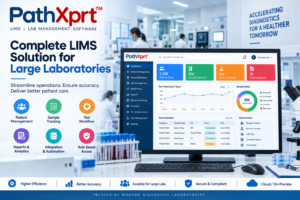
What should the WhatsApp report look like?
Short answer: The report should remain a professional laboratory report, with the patient’s information, test details, results, reference ranges and appropriate laboratory identification presented clearly.
For a professional diagnostic laboratory, sending a random PDF attachment is not enough.
The final report should reflect the laboratory’s own identity and reporting format.
Depending on the laboratory’s setup, this could include:
- Laboratory name and logo
- Patient information
- Test information
- Result values
- Reference ranges
- Pathologist details/signature
- Report date
- Appropriate page numbering
- Lab contact details
Competitor platforms currently advertise branded PDF reports and delivery through WhatsApp as part of their laboratory software workflows.
For a broader view of the reporting workflow, see laboratory information management system software and how it connects reporting with other lab processes.
One practical point is easy to miss: the WhatsApp message and the PDF are two different things.
The message tells the patient what has happened.
The PDF contains the actual report.
Your software should handle both cleanly.
Does the software show whether the report was delivered?
Short answer: A useful system should make the delivery outcome visible so staff can distinguish a report that was sent from one that was actually delivered or failed.
This is one of the first questions I would ask a vendor.
“Sent” does not necessarily mean “delivered.”
A useful system should provide meaningful delivery status so the lab knows what happened after the report was released.
Some current lab software products advertise sent, delivered and read tracking for WhatsApp reports.
That information becomes useful when a patient calls reception and says:
“I haven’t received my report.”
Instead of sending the same PDF again blindly, staff can first check the delivery record.
If delivery failed, the lab can follow its defined fallback process.
What about WhatsApp consent and messaging rules?
Short answer: A lab should define how patient permission is collected, recorded and withdrawn, and should keep the WhatsApp workflow aligned with the platform’s current rules and applicable privacy requirements.
This is the part that deserves more attention than it gets on software comparison pages.
WhatsApp Business Platform policies require businesses to obtain the necessary permissions and comply with applicable laws when collecting, using and sharing people’s information. For business-initiated conversations on the platform, approved message templates are required; WhatsApp also describes a 24-hour customer-service window for replies after a user’s message.
For a pathology laboratory, that means WhatsApp integration should not be treated as simply connecting a phone number and automatically sending unlimited messages.
The lab should define how patient opt-in is collected and recorded.
The exact implementation should also be checked against the current WhatsApp Business Platform rules and the laws applicable to the laboratory.
India’s Digital Personal Data Protection Act, 2023 sets requirements around consent, including that consent be free, specific, informed, unconditional and unambiguous, with a clear affirmative action. It also provides for withdrawal of consent.
That doesn’t mean a software vendor can simply put “DPDP compliant” on its website and the job is finished.
Ask what the software actually does.
Where is consent recorded?
Can it be withdrawn?
Who can access patient information?
What happens when a patient changes their mobile number?
Those are better questions than a generic “Is your software secure?”
What happens if the patient’s WhatsApp number is wrong?
Short answer: The software should make failed delivery visible and give staff a clear fallback process instead of silently treating the report as successfully delivered.
This is a real operational problem.
A laboratory may have a patient’s old number, a digit entered incorrectly, or a family member’s number instead of the patient’s preferred number.
A report-delivery system should make failures visible rather than silently marking the workflow complete.
Your SOP should define what reception staff do when:
- The number is invalid.
- WhatsApp delivery fails.
- The patient has not opted in.
- The patient requests another delivery method.
- The referring doctor needs a copy.
- The report has been corrected after release.
If sample visibility is also a priority, review the laboratory sample tracking system workflow before choosing your reporting solution.
The software is only one part of this process. The lab still needs a clear human fallback.
Should the report go to the referring doctor too?
Short answer: If your laboratory sends reports to referring doctors, the software should support controlled recipient selection and access rather than relying on manual forwarding.
For many diagnostic centres, the referring-doctor workflow matters almost as much as patient delivery.
A good lab system should let the laboratory control who receives a report rather than relying on staff to manually forward files.
Some current LIS platforms specifically advertise report delivery to both patients and referring doctors.
But this needs careful access control.
A patient’s report should not be sent to the wrong doctor because two records share a similar name or because the wrong mobile number was attached to an order.
That is why patient identity, order ID, sample ID and recipient information need to remain connected throughout the workflow.
What about privacy and health information?
Short answer: Because pathology reports contain personal and health-related information, the software should provide appropriate role-based access, controlled sharing and a clear record of report activity.
A pathology report contains personal information and health-related information. That makes access control and data handling important parts of the software evaluation.
ABDM’s published privacy material emphasizes consent, purpose limitation, controlled use and protection of personal data. Its health-record ecosystem also places emphasis on consent-based information exchange.
A lab buying WhatsApp report software should therefore ask practical security questions:
Who can download reports?
Who can resend them?
Are staff accounts separated by role?
Is there an audit trail for report changes and release?
What happens to the data when an employee leaves?
Where is the laboratory data stored?
Don’t judge security from a “secure software” badge on a sales page. Ask the vendor to demonstrate the controls.
WhatsApp-only delivery is not always the right answer
Short answer: WhatsApp works best as one delivery channel within the lab’s wider reporting process, alongside alternatives such as patient portals, email or printed reports when needed.
WhatsApp is convenient, but a laboratory shouldn’t build its entire report-access strategy around one communication channel.
Patients may have:
- A wrong mobile number
- No WhatsApp access
- Changed contact details
- Delivery problems
- A request for email or printed reports
A better architecture is a reporting system where WhatsApp is one controlled delivery channel within the overall reporting workflow.
For example:
LIS → approved report → digital report → WhatsApp / patient portal / email / print
The exact channels will depend on the lab’s requirements.
For online report workflows, you can also explore clinical laboratory LIMS and its role in digital reporting.
Which features should a lab compare before buying?
Short answer: Compare the complete patient-to-report journey, including approval, WhatsApp delivery, failed delivery, corrections, access controls and auditability—not just the number of features in the software.
Don’t compare vendors only on the number of modules displayed on their homepage.
Use the actual report journey.
Ask each vendor to demonstrate:
- Patient registration and mobile-number capture.
- Sample identification and tracking.
- Result entry.
- Pathologist approval.
- PDF report generation.
- WhatsApp delivery.
- Delivery status.
- Failed-delivery handling.
- Report correction and re-release.
- Staff access and audit controls.
Then ask one uncomfortable question:
“Show me what happens when the WhatsApp delivery fails.”
The answer tells you much more about the product than another feature list.
Who is this software actually for?
Short answer: It is most useful for pathology labs and diagnostic centres where staff handle a steady volume of digital reports and want to reduce repetitive manual delivery work.
WhatsApp report delivery software makes the most sense for diagnostic centres and pathology laboratories where staff are repeatedly handling digital report delivery.
It becomes especially useful when the laboratory wants to connect report generation and patient communication rather than making reception staff act as the bridge between the two.
For a very small lab that produces only a handful of reports and already has a reliable manual process, a full LIS with WhatsApp automation may be more software than it needs.
But if report delivery is consuming reception time, creating repeated patient calls, or introducing manual attachment errors, it deserves attention.
What should you ask during a Pathology LIMS demo?
Short answer: Ask the vendor to demonstrate one complete patient-to-report scenario, including approval, WhatsApp delivery, delivery status and what happens when a report is corrected or delivery fails.
Short answer: Ask the vendor to demonstrate one complete patient-to-report scenario, including approval, WhatsApp delivery, delivery status and what happens when a report is corrected or delivery fails.
Don’t ask for a generic product tour.
Give the vendor one realistic scenario:
“Register a patient, add two tests, enter results, approve the report and send it to WhatsApp. Now show me the delivery status. Then change the report and demonstrate what happens to the old version.”
That five-minute exercise reveals the actual workflow.
If you are comparing complete lab platforms, you can also review the LIMS software in India guide.
If you’re evaluating WhatsApp report delivery software for lab, PathXprt can be positioned around this complete workflow rather than WhatsApp delivery as an isolated feature.
Frequently Asked Questions About WhatsApp Report Delivery Software
Yes. A laboratory can use a WhatsApp-enabled reporting workflow to deliver approved digital reports to an appropriate registered recipient, subject to the lab’s process, permissions and applicable platform rules.
Not necessarily. The lab should define an approval and release step so that the version sent to the patient is the intended final report.
The system should make the failure visible and the laboratory should have a fallback process, such as another approved digital channel or a controlled manual follow-up.
WhatsApp can be one useful channel, but laboratories may also need email, a patient portal or printed reports depending on patient needs and operational requirements.
Check the complete patient-to-report workflow, approval controls, delivery status, failed-delivery handling, recipient management, privacy controls, integrations and support.
The right system should make the path from sample → result → approved report → patient delivery easy to follow and difficult to get wrong.
The next step is simple: ask for a live demo using your own laboratory’s workflow, test data and reporting format. Don’t buy based on a WhatsApp icon in a feature list.